
|
Do it yourself
| |||
| ||||


IVECO Daily - KeyKey IVECO Daily (2014-2026 / mk 5) IVECO Daily (2014-2026 / MK 5)
How to replace the battery of the Iveco Daily 2020 key If you own an Iveco Daily (2020) and want to find out how to replace the small button battery located inside the vehicle key, then all you have to do is read …Read all… Posted on 23 November 2024 by ScegliAuto 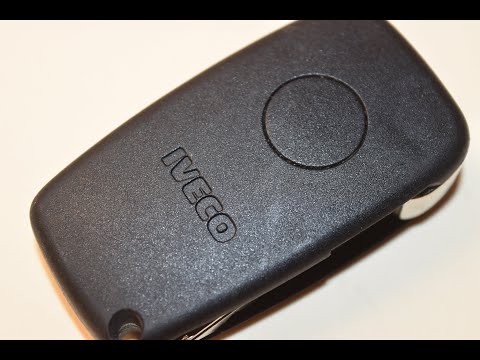 IVECO Daily
 How to Replace the Key Battery on an Iveco Daily If the key for your Iveco Daily has stopped working and you want to replace the battery yourself, simply read the following guide carefully and follow the …Read all… Posted on 24 September 2026 by ScegliAuto Key IVECO Daily ( / )
IVECO Daily (2014-2026 / MK 5)How to replace the battery of the Iveco Daily 2020 key If you own an Iveco Daily (2020) and want to find out how to replace the small button battery located inside the vehicle key, then all you have to do is read …Read all… Posted on 23 November 2024 by ScegliAuto
IVECO Daily How to Replace the Key Battery on an Iveco Daily If the key for your Iveco Daily has stopped working and you want to replace the battery yourself, simply read the following guide carefully and follow the …Read all… Posted on 24 September 2026 by ScegliAuto Cigarette lighter (1) Airbag (1) Air conditioning (1) Car stereo (20) Battery (3) Transmission (2) Body (4) Key (2) Timing belt (29) V-belt (1) Onboard computer (10) Checks and maintenance (27) Throttle body (1) Dashboard (8) Bearing (2) Differential (1) Brake rotors (1) Side marker light (1) Headlight (2) Tail light (1) Fog lights (1) Diesel particulate filter (1) Air filter (1) Cabin air filter (11) Fuel filter (1) Diesel fuel filter (2) Parking brake (3) Clutch (1) Light bulb (1) Side marker bulb (2) Headlight bulb (4) Antifreeze coolant (1) Instrument panel light (1) License plate light (1) Engine (2) Starter motor (2) Clock (33) Brake pads (3) Shift knob (2) Pump (1) Fuel pump (2) Instrument cluster (5) Radiator (1) Heater core (2) Wheel (2) Fuse box (75) Seat (3) Crankshaft position sensor (1) Side mirror (11) AdBlue warning light (1) Warning light – error code (22) (1) Service warning light (75) EGR valve (2) Blower motor (2) |
How to set the clock on the Vespa 125 Primavera?
To set the clock on the Vespa 125 Primavera, press and hold the black button located just below the black knob on the bike: keep the button pressed until the hour number starts to flash. Once it is flashing, you can change the hours with single presses of the same button; then, by pressing and holding the button again, the hour number will stop flashing and the minute number will start to flash, which can be modified in the same way, confirming the input by holding the button. by ScegliAuto More videos
|
|
For advertising on this site Write to info@scegliauto.com
ScegliAuto is not responsible for any inaccuracy of the data in the lists. To report any inaccuracy or your business (if you own the business in question), please write to info@scegliauto.com
Number of seconds to generate the page: 0.009
(c) ScegliAuto 2026 - info@scegliauto.com - Privacy policy VAT number: IT01247470535 |
