
|
Do it yourself
| |||
| ||||


Associate the smartphone with the Iveco Daily system
Model: IVECO Daily
MK 5
- Years 2014-2024
Let's see how to connect our mobile phone to the Iveco Daily via Bluetooth in order to manage phone calls and listen to music through the van's system. On the central display, select the phone option and then add device. On the smartphone, with the Bluetooth function turned on, go to settings and select the search for new connections. We will find "IConnect", select it and confirm, then choose the various options offered to customize the connection. Now we can manage phone calls and listen to music by using the central display. If we want to disconnect the smartphone, we can do so through the phone option.
Posted on 2 April 2024 by ScegliAuto
Video tutorial
Related tutorials
IVECO Daily
(2014-2024 /
MK 5)
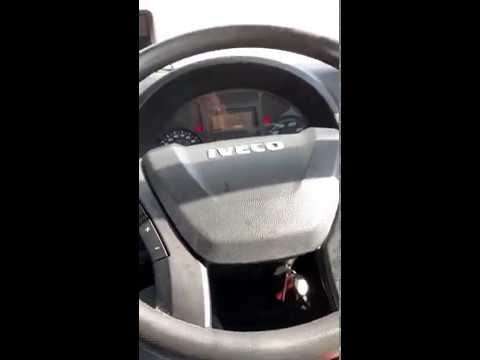
In these short and simple steps, we will see how to connect our smartphone to the multimedia system of the Iveco Daily via Bluetooth. First, we get o…
IVECO Daily
In this video, we will see how to pair the Bluetooth of our smartphone with the Iveco Daily car radio. From the car radio, we need to press "Menu" an…

IVECO Daily
(2014-2024 /
MK 5)
To reset the radio on an Iveco Daily vehicle, we need to: - turn on the instrument panel; - press the power and volume buttons simultaneously; - sele…
Other guides you may be interested in |
How to Remove the Air Vents on an Alfa Romeo 159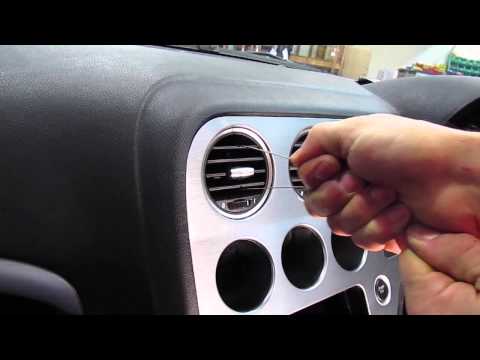
This video shows how to remove the air vents on an Alfa Romeo 159. Start by using a plastic trim tool to detach the air vents located in the central dashboard; if you have difficulty, obtain metal hooks (as shown in the video) and insert them into the air vent. Once the two hooks are secured to the edges of the air vent, pull them out with your hands until the vent is removed from its housing. Repeat this procedure for the other air vents present on the car's dashboard. Finally, install the new vents. by ScegliAuto More videos
|

|
For advertising on this site Write to info@scegliauto.com
ScegliAuto is not responsible for any inaccuracy of the data in the lists. To report any inaccuracy or your business (if you own the business in question), please write to info@scegliauto.com
Number of seconds to generate the page: 0.042
(c) ScegliAuto 2026 - info@scegliauto.com - Privacy policy VAT number: IT01247470535 |
