
|
Do it yourself
| |||
| ||||


How to Pair Bluetooth on an Iveco Daily
Model: IVECO Daily
Video tutorial
In this guide, learn how to pair your smartphone's Bluetooth with the Iveco Daily's radio: from the radio, press "Menu" and scroll to the "BT MODE" function. Here, scroll through the submenu until the system generates a code to pair with your phone. Activate Bluetooth on your smartphone, and when prompted, enter the code generated by the system to complete the pairing. Once the devices are paired, you can make hands-free calls while focusing on driving.
Updated on 28 August 2026 by ScegliAuto
Related tutorials
IVECO Daily
(2014-2026 /
MK 5)
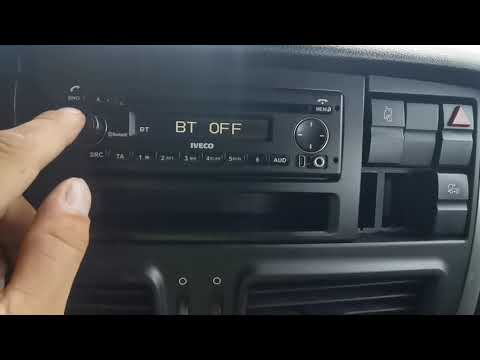
To connect your smartphone to the Bluetooth radio in the Iveco Daily, press the MENU button located in the centre of the device. Next, select the "Co…
IVECO Daily
How to restart Bluetooth on the radio of an Iveco Daily? In a commercial vehicle, the radio is even more essential than in a private car. However, in…

IVECO Daily
(2014-2026 /
MK 5)
The devices that can be connected via Bluetooth to a vehicle, in this case the Iveco Daily, are various, such as MP3 players, headphones, etc., but t…
Other guides you may be interested in |
How to Open the Hood of the Mercedes GLC?
To open the hood of the Mercedes GLC, go inside the cabin on the driver's side to locate the red lever at the bottom of the dashboard on the left. Once you find this lever, pull it back to unlock the hood latch mechanism. After the mechanism is unlocked, exit the cabin and move the latch corresponding to the mechanism to fully release the hood. At this point, you can lift it and access the engine compartment. by ScegliAuto More videos
|
|
For advertising on this site Write to info@scegliauto.com
ScegliAuto is not responsible for any inaccuracy of the data in the lists. To report any inaccuracy or your business (if you own the business in question), please write to info@scegliauto.com
Number of seconds to generate the page: 0.009
(c) ScegliAuto 2026 - info@scegliauto.com - Privacy policy VAT number: IT01247470535 |
