
|
Do it yourself
| |||
| ||||


How to change the time on the VDO tachograph
Model: IVECO Daily
MK 4
- Years 2006-2020
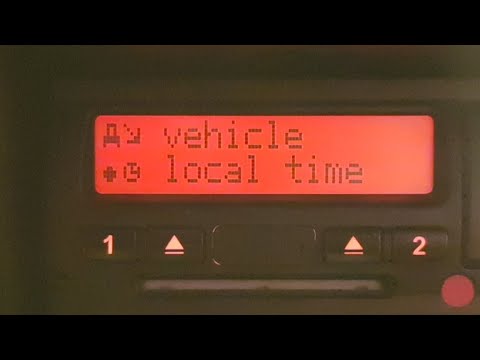
In this video we can see how to switch from daylight saving time to standard time (and vice versa) on the VDO tachograph that we have installed on our commercial vehicle: the procedure is the same whether we have a new model like the one in the video, or a previous model with a joystick: we press the up arrow, selecting the main menu, scroll through the menu until "vehicle entry". From here, scrolling further in the menu, we will find the local time. The time is updated every half hour, so we will update the time as needed and pressing the "ok" button will confirm as "data recorded". We can go back and the update is done.
Posted on 29 July 2024 by ScegliAuto
Video tutorial
Related tutorials
IVECO Daily
(2014-2024 /
MK 5)
Let's see how to change the time from daylight saving time to standard time (and vice versa) on the VDO tachograph of a Fiat Daily. This is a very im…

IVECO Daily
(1999-2006 /
MK 3)
The clock is integrated into the VDO tachograph: start by pressing the OK button to enter and scroll through the menu items using the arrows until yo…
IVECO Daily
(2006-2020 /
MK 4)
In this video, we see how to change the time on the tachograph of an Iveco Daoly when there is a change from daylight saving time to standard time. W…
Other guides you may be interested in
|
How to Dismantle the Drum Brake on a Fiat Punto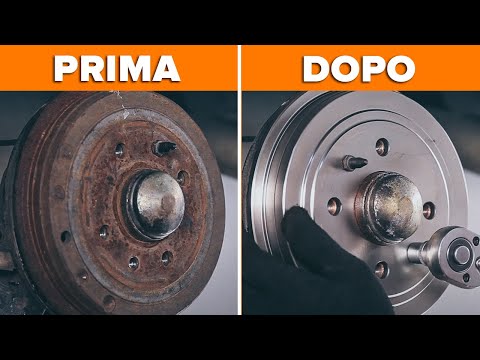
In this video, learn how to change the drum brake and associated shoes on a Fiat Punto. First, lift the car on a column jack to the desired height, then remove the wheel (using a socket spanner or air drill) with the respective pins. Unscrew the securing pins of the drum cover with a socket spanner and remove it from the wheel hub support. Dismantle the bearing from the hub using a socket spanner. Once you have unscrewed the central pin, extract the worn shoes and fit the new ones. Prepare to install the new brake kit, proceeding in reverse through the operations. by ScegliAuto More videos
|
|
For advertising on this site Write to info@scegliauto.com
ScegliAuto is not responsible for any inaccuracy of the data in the lists. To report any inaccuracy or your business (if you own the business in question), please write to info@scegliauto.com
Number of seconds to generate the page: 0.042
(c) ScegliAuto 2026 - info@scegliauto.com - Privacy policy VAT number: IT01247470535 |
