
|
Do it yourself
| |||
| ||||



How to Reset the Oil Service on a Jeep Gladiator?
Model: Jeep Gladiator
JT
- Years:
2020, 2021, 2022, 2023, 2024, 2025, 2026
Video tutorial
As we can see in this tutorial, resetting the oil service on a Jeep Gladiator is an extremely simple and quick operation. Before doing this, make sure you have completed all required scheduled maintenance tasks. Start by inserting the key and turning on the ignition, not the engine, then press the accelerator pedal all the way down three times in a row and restart the vehicle. If this does not work, you can use the second method: scroll through the display screens, reach the remaining oil life, and hold down the "OK" button until the percentage resets to 100%.
Updated on 4 August 2026 by ScegliAuto
Related tutorials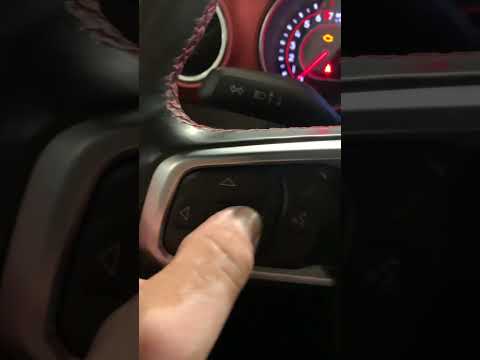
Jeep Gladiator
(2020-2026 /
JT)
In this tutorial, you will learn how to reset the oil service light on a Jeep Gladiator. This operation is extremely simple and quick, and should be …

Jeep Gladiator
(2020-2026 /
JT)
.. In this tutorial, you will see how to reset the oil service on a Jeep Gladiator, a very simple and quick operation to perform only after.. …

Jeep Gladiator
(2020-2026 /
JT)
Follow the steps to perform routine maintenance by replacing the engine oil and oil filter on the Jeep Gladiator. First, lift the vehicle and start u…
Other guides you may be interested in
|
How to Reset the AdBlue Warning Light on a Nissan Qashqai
Hello everyone! Today, I will explain how to reset the important AdBlue additive warning light on your Nissan Qashqai. Reset via the dashboard menu: turn on the car and ensure the instrument cluster is active. Scroll through the menu until you find the option “Service” or “AdBlue”. Select the “Reset” option and confirm. To top up the AdBlue level, open the tank flap and use the supplied nozzle to refill the AdBlue fluid with the engine off. Once the car is turned off and back on, the warning light should disappear if the refill was successful. Good luck. by ScegliAuto More videos
|
|
For advertising on this site Write to info@scegliauto.com
ScegliAuto is not responsible for any inaccuracy of the data in the lists. To report any inaccuracy or your business (if you own the business in question), please write to info@scegliauto.com
Number of seconds to generate the page: 0.091
(c) ScegliAuto 2026 - info@scegliauto.com - Privacy policy VAT number: IT01247470535 |
