
|
Do it yourself
| |||
| ||||


|
Model: Kawasaki Ninja 300
In this tutorial, you will see how to change the engine oil in the Kawasaki Ninja 300, a very simple and quick operation. First, ensure that the engine is cool enough to work safely, then remove the lower fairing and position a container beneath the motorcycle. Next, locate the drain hole bolt, unscrew it using a 17mm socket wrench, and let all the oil in the system drain out. At this point, simply unscrew the old filter, tighten the replacement, reassemble everything, and add the necessary amount of oil through the designated hole.
Posted on 17 February 2026 by ScegliAuto
Video tutorial
Related tutorials
Ninja 300
In this tutorial we can see how to replace the engine oil in the Kawasaki Ninja 300, an extremely simple and quick operation. First of all, make sure…

Ninja 300
Changing the engine oil in a Kawasaki Ninja 300, as shown in this tutorial, is an extremely simple and quick operation. First, wait for the engine to…
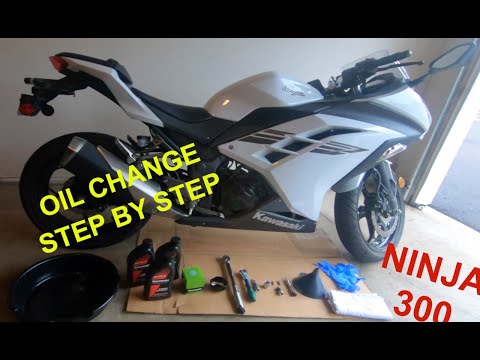
Ninja 300
.. In this tutorial, see how to change the engine oil in the Kawasaki Ninja 300, a very simple and quick operation to perform.. …
|
How to Replace the Air Filter on a Harley Davidson Dyna?
To replace the air filter on a Harley Davidson Dyna, loosen the screws securing the cover located on the right side of the bike, just below the fuel tank. Once the cover is removed, you will locate the filter underneath: it must be removed from its housing by unscrewing the fastening screws and sliding it out from its compartment. After the old filter has been removed, position the new replacement part, securing it in place with the screws and covering everything with the cover. by ScegliAuto More videos
|
|
For advertising on this site Write to info@scegliauto.com
ScegliAuto is not responsible for any inaccuracy of the data in the lists. To report any inaccuracy or your business (if you own the business in question), please write to info@scegliauto.com
Number of seconds to generate the page: 0.008
(c) ScegliAuto 2026 - info@scegliauto.com - Privacy policy VAT number: IT01247470535 |
