
|
Do it yourself
| |||
| ||||


|
Model: Keeway Kblade 125
To set the clock on the Keeway K-Blade 125, turn the key to switch on the instrument panel and hold down the two buttons located just below the instrument panel. The time will start to flash, and you can modify it by pressing the right button until the desired hour is displayed. To change the minutes, press the left button and adjust the minutes using the right button. Once the correct time is set, confirm by pressing the left button, and then you can switch off the instrument panel.
Updated on 5 June 2026 by ScegliAuto
This video is currently unavailable
Related tutorials
Kblade 125
.. To replace the air filter on the Keeway K-Blade 125, loosen the bolts securing the cover near the rear wheel, just above the clutch cover. Once.. …

Kblade 125
.. To replace the air filter on the Keeway K-Blade 125, loosen the screws securing the cover that contains the air filter, located on the right side.. …

Kblade 125
.. To replace the air filter on the Keeway K-Blade 125, loosen the screws securing the cover containing the air filter, located on the left side of.. …
|
How to Reset the Engine Oil Light on a Yamaha XMax 250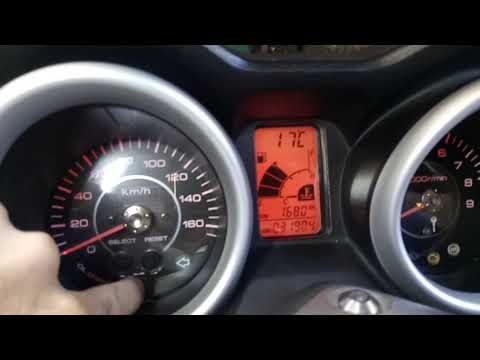
This short video demonstrates the procedure to reset the engine oil light on a Yamaha XMax 250 scooter. The operation is very simple and quick; first, insert the motorcycle key into the designated slot and turn it to the first position to power on the instrument panel without starting the vehicle. At this point, you will see the light on the display; simply press the "oil change" button located at the centre of the motorcycle's speedometer and hold it until the light stops flashing. The operation will then be complete; to verify success, turn off and then turn on the instrument panel. by ScegliAuto More videos
|
|
For advertising on this site Write to info@scegliauto.com
ScegliAuto is not responsible for any inaccuracy of the data in the lists. To report any inaccuracy or your business (if you own the business in question), please write to info@scegliauto.com
Number of seconds to generate the page: 0.006
(c) ScegliAuto 2026 - info@scegliauto.com - Privacy policy VAT number: IT01247470535 |
