
|
Do it yourself
| |||
| ||||


How to replace the battery of the Kia K5 key.
Model: Kia KIA Various
Video tutorial
The replacement of the battery of the 2021 Kia K5 car remote control requires the use of a flat-head screwdriver and a few minutes of your time. To perform the replacement, we should remove the top part of the remote control and insert the flat-head screwdriver into the opening created, which with a slight downward pressure will allow us to open the remote control. We then replace the battery and close the remote control. Once the top part of the remote control is mounted, we can proceed with the test that will allow us to understand if the malfunction of the key was due to the battery or something else.
Posted on 5 May 2025 by ScegliAuto
Related tutorials
Kia KIA Various
Today we will explain how to replace the battery of a key belonging to the Kia group. To perform this simple operation independently, we must first m…

Kia KIA Various
Replacing the battery of a Kia vehicle remote control is a simple and quick operation that can be done independently, thanks to our short video tutor…

Kia KIA Various
In today's video tutorial, we will see how to replace the key battery in a Kia K5, model produced from 2021 to 2024. Start by extracting the physical…
ScegliAuto offers an extensive international collection of automotive tutorials available in 12 languages. Each guide combines instructional videos with original explanations written by experienced human editors, along with information about the car models covered.
Other guides you may be interested in
|
How to Reset the Tire Pressure Light on the Land Rover Range Rover Evoque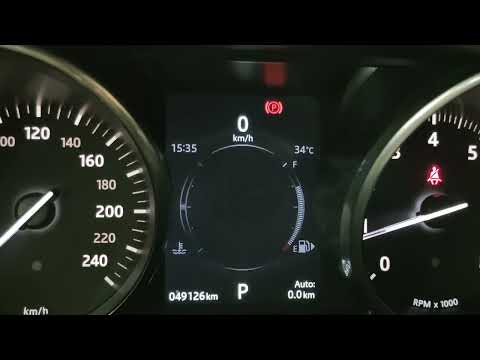
Today, let's go through the steps to reset the tire pressure light on the Land Rover Range Rover Evoque. First, get in the vehicle and turn on the ignition; then navigate to the settings on the onboard computer and select the tire pressure option to view the values, as shown in the video. At this point, restore the correct pressure in all four tires to clear the tire pressure warning light that appears on the instrument cluster! by ScegliAuto More videos
|
|
For advertising on this site Write to info@scegliauto.com
ScegliAuto is not responsible for any inaccuracy of the data in the lists. To report any inaccuracy or your business (if you own the business in question), please write to info@scegliauto.com
Number of seconds to generate the page: 0.099
(c) ScegliAuto 2026 - info@scegliauto.com - Privacy policy - About us VAT number: IT01247470535 |
