
|
Do it yourself
| |||
| ||||



How to adjust the handbrake lever of the Kia Cee D
Model: Kia Cee D
MK 1
- Years:
2006, 2007, 2008, 2009, 2010, 2011, 2012
Video tutorial
In this guide we will see the main instructions on how to adjust the handbrake lever of the Kia Cee D. First of all, we get on board the cockpit and start raising the armrest, thus accessing the glove compartment; we remove the plastic cover located at the base to access the adjustment register of the parking brake lever, as shown in the video. The success of the operation occurs only if the rear brake pads are in good condition; we then tighten the nut of the register with a wrench, pulling the cable to reduce the travel of the lever!
Posted on 23 August 2025 by ScegliAuto
Related tutorials
Kia Cee D
(2018-2024 /
CD, MK 3)
To reset the Service light on a Kia Cee'd, turn on the ignition by inserting the key into the ignition switch. Once the ignition is on, press the men…
Kia Cee D
(2006-2012 /
MK 1)
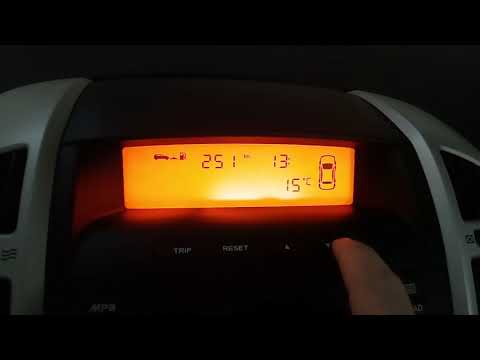
Setting the time on the Kia Cee'd is quite simple, now let's go through all the steps to follow. Starting from the Key-off condition, with the dashbo…

Kia Cee D
(2012-2018 /
JD, MK 2)
In the Kia Cee'd, the fuses are contained within specific fuse boxes located inside the car: the first is positioned behind the cover at the lower le…
Other guides you may be interested in
|
How to Activate Cruise Control on the Peugeot 3008
Today's steps will show you how to activate cruise control on the Peugeot 3008, following the instructions below. First, get into the vehicle and start the engine. To activate cruise control, you must reach a minimum speed. Then, activate cruise control using the central button on the left stalk, adjusting the speed with the buttons; use the dial to set the speed limit. Pressing the brake pedal will automatically disable the cruise control system. by ScegliAuto More videos
|
|
For advertising on this site Write to info@scegliauto.com
ScegliAuto is not responsible for any inaccuracy of the data in the lists. To report any inaccuracy or your business (if you own the business in question), please write to info@scegliauto.com
Number of seconds to generate the page: 0.033
(c) ScegliAuto 2026 - info@scegliauto.com - Privacy policy VAT number: IT01247470535 |
