
|
Do it yourself
| |||
| ||||


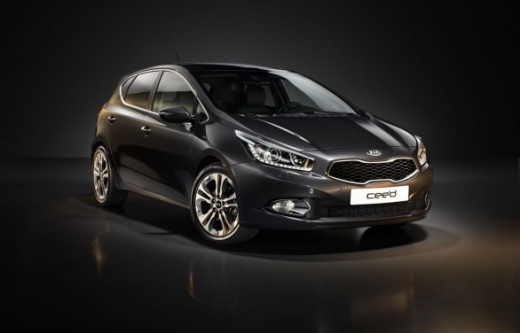
How to reset the service light on the Kia Ceed JD
Model: Kia Cee D
JD, MK 2
- Years 2012-2018
In this video we can see how to reset the service light of the Kia Ceed JD version: get in the car and make sure all the doors, the front hood, and the trunk are properly closed. Turn on the ignition, and using the control panel located on the right side of the steering wheel, navigate through the menu until you reach the service option. Locate the "enter" button, press and hold it for about five seconds: you will see the word "reset" appear on the display. Release the button, then press it again within five seconds of seeing the word, for at least three seconds. Service reset.
Posted on 19 September 2025 by ScegliAuto
Video tutorial
Related tutorials
Kia Cee D
(2018-2024 /
CD, MK 3)
In the following guide, we will guide you step by step through the procedure necessary to correctly complete the manual reset of the service light on…

Kia Cee D
(2012-2018 /
JD, MK 2)
To correctly complete the manual reset of the service light on your second generation Kia Ceed (year 2017), you must carefully read the following pro…

Kia Cee D
(2018-2024 /
CD, MK 3)
Below we will see the instructions that will allow us to reset the regular maintenance warning for the oil change (service) of the Kia Ceed. First of…
Other guides you may be interested in
|
How to Remove the Original Radio on a Honda CR-V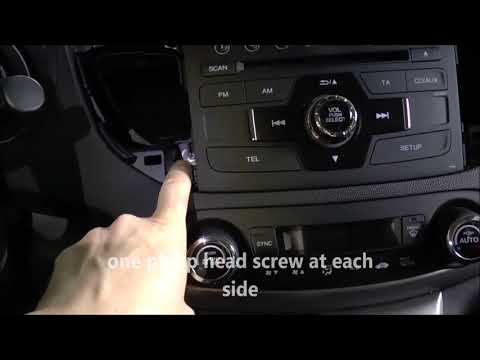
How do you remove the original radio on a Honda CR-V? First, use a plastic lever to remove the side cover of the radio (the air vents), then, with a screwdriver, unscrew the securing screws located on the sides (if present). After unscrewing the side screws (and disconnecting the clips) of the stereo, pull it out from its slot and remove it (disconnect the various power connectors at the back). To install the new stereo and the various removed parts, proceed in reverse order. by ScegliAuto More videos
|
|
For advertising on this site Write to info@scegliauto.com
ScegliAuto is not responsible for any inaccuracy of the data in the lists. To report any inaccuracy or your business (if you own the business in question), please write to info@scegliauto.com
Number of seconds to generate the page: 0.055
(c) ScegliAuto 2026 - info@scegliauto.com - Privacy policy VAT number: IT01247470535 |
