
|
Do it yourself
| |||
| ||||


How to reset the service indicator light on the Kia Ceed
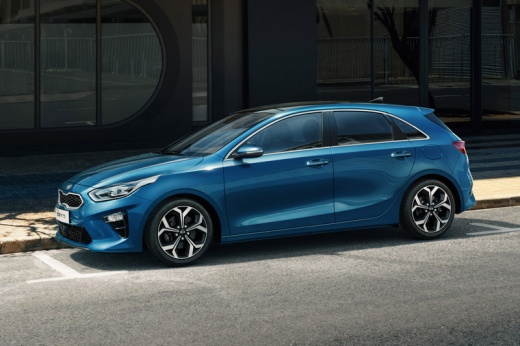
Model: Kia Cee D
MK 3, CD
- Years 2018-2024
Below we will see the instructions that will allow us to reset the regular maintenance warning for the oil change (service) of the Kia Ceed. First of all, we get on board the car and start the instrument panel; then we go to the vehicle settings from the central display and then to the service voice, as shown in the video. At this point we confirm and carry out the maintenance light reset, pressing "yes," verifying the actual reset of the warning on the instrument panel; we turn off the instrument panel and start the engine!
Posted on 19 April 2025 by ScegliAuto
Video tutorial
Related tutorials
Kia Cee D
(2018-2024 /
MK 3, CD)
In today's video, we can see how to reset the tire pressure warning light on a third-generation Kia Ceed. The operation is very simple, so let's star…

Kia Cee D
(2018-2024 /
MK 3, CD)
This tutorial shows how to reset the infotainment light on the Kia Ceed with the Touch infotainment system. Turn on the ignition without starting the…

Kia Cee D
(2018-2024 /
MK 3, CD)
In this brief tutorial, you will learn how to reset the tyre pressure on a Kia Ceed, third generation model produced from 2018 onwards. This operatio…
Other guides you may be interested in
|
How to Open a Stuck Boot on the Peugeot 407?
On the Peugeot 407, the boot may become stuck, possibly due to a problem with the control button or the lock actuator. In such cases, you can perform an emergency opening by following the simple procedure shown in this tutorial. First, open the rear doors, then lower the seat back by operating the release lever. Next, go inside the boot, locate the lock, and manually operate it using a flathead screwdriver. The boot will then be free to open. by ScegliAuto More videos
|
|
For advertising on this site Write to info@scegliauto.com
ScegliAuto is not responsible for any inaccuracy of the data in the lists. To report any inaccuracy or your business (if you own the business in question), please write to info@scegliauto.com
Number of seconds to generate the page: 0.067
(c) ScegliAuto 2026 - info@scegliauto.com - Privacy policy VAT number: IT01247470535 |
