
|
Do it yourself
| |||
| ||||


How do you reset the Service light on the KTM Duke 200?
Model: Ktm Duke 200
Video tutorial
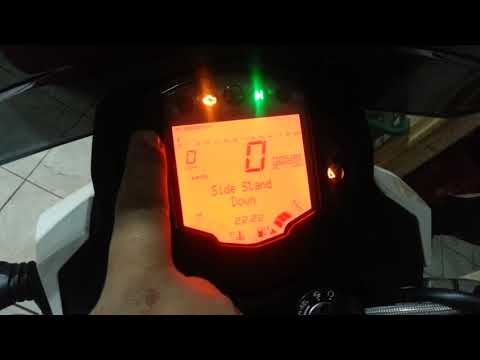
The Service indicator that appears on the instrument panel of the KTM Duke 200 can be reset by turning on the instrument panel, inserting the ignition key into the ignition switch and turning it: when the panel is turned on, you can navigate through the menu using the button on the left side of the panel, which must be pressed repeatedly. When the voice with the kilometers missing for the next maintenance is displayed, you will need to hold down the button for a few seconds: this way the indicator will disappear from the instrument panel and it can be turned off completely.
Posted on 27 July 2025 by ScegliAuto
Related tutorials
Duke 200
In this tutorial we can see how to reset the service in the KTM Duke 200, an extremely simple and quick operation, to be carried out only once all sc…

Duke 200
This tutorial shows how to reset the service light on the KTM Duke 200, a very simple and quick operation. Before doing this, ensure all scheduled ma…
Duke 200
In this tutorial, you will see how to reset the service on a KTM Duke 200, a very simple and quick operation. Before proceeding, ensure that all requ…
|
How to Remove the Engine from the KTM XC-W 300?
To remove the engine from the KTM XC-W 300, loosen the bolts that secure it to its housing in the centre of the frame: once the support bolts are removed, proceed to loosen the bolts securing the exhausts and then disconnect all related connectors. At this point, remove the pin and ring that secure the piston to the connecting rod: you can now access the crankshaft and all other internal components. After any necessary replacement, reassemble the engine to ensure everything functions correctly. by ScegliAuto More videos
|
|
For advertising on this site Write to info@scegliauto.com
ScegliAuto is not responsible for any inaccuracy of the data in the lists. To report any inaccuracy or your business (if you own the business in question), please write to info@scegliauto.com
Number of seconds to generate the page: 0.037
(c) ScegliAuto 2026 - info@scegliauto.com - Privacy policy VAT number: IT01247470535 |
