
|
Do it yourself
| |||
| ||||


How to Reset the Service on the KTM Duke 125?
Model: Ktm Duke 125
Video tutorial
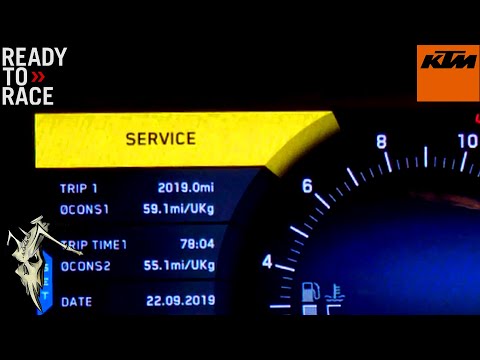
In this tutorial, see how to reset the service on the KTM Duke 125, a very simple and quick operation to be done only after completing all required scheduled maintenance tasks. Start by inserting the key, then turn on the instrument cluster and navigate to the "ODO" odometer using the "MODE" button. Next, move to the service screen using the "SET" button, hold it down, and release it only after the interval has been correctly reset. To complete the procedure, simply restart the instrument cluster.
Updated on 15 October 2026 by ScegliAuto
Related tutorials
Duke 125
In this tutorial, see how to reset the service on a KTM Duke 125, a very simple and quick operation to be performed only after completing all schedul…
Duke 125
Before starting, sit on the seat of your KTM Duke 125. First, activate the instrument cluster by simply turning the key in the ignition. Next, press …

Duke 125
If you own a KTM Duke 125 and want to learn how to manually reset the oil light, follow these steps carefully. First, turn on the ignition of your KT…
|
How to Replace the Rear Brake Pads on a Benelli TRK 502X?
To replace the rear brake pads on a Benelli TRK 502X, loosen the screws that secure the corresponding caliper so that it can be detached from the brake disc: once the caliper is removed from its disc, you can proceed to detach it and remove the pin that secures the pads inside the caliper. At this point, you can remove the old pads from their seat to insert the new ones: these must be secured properly by positioning the caliper and checking that the brake is functioning. by ScegliAuto More videos
|
|
For advertising on this site Write to info@scegliauto.com
ScegliAuto is not responsible for any inaccuracy of the data in the lists. To report any inaccuracy or your business (if you own the business in question), please write to info@scegliauto.com
Number of seconds to generate the page: 0.007
(c) ScegliAuto 2026 - info@scegliauto.com - Privacy policy VAT number: IT01247470535 |
