
|
Do it yourself
| |||
| ||||


How to Open the Range Rover Evoque with the Emergency Key
Model: Land Rover Evoque
L538, MK 1
- Years 2011-2018
This video explains both verbally and visually how to open and start the mentioned vehicle. First, open the side cover of the Smart Key and pull out the key. Next, insert this key into the cover of the left front handle, lift it to insert it into the lock, and open the vehicle. After that, place the Smart Key on the left side of the steering column and press the Start button to start the vehicle. It is important to remember that this procedure is also available in the vehicle's instruction manual.
Updated on 22 June 2026 by ScegliAuto
This video is currently unavailable
Related tutorials
Land Rover Evoque
(2011-2018 /
L538, MK 1)
In this article, we will see how to replace the battery of the Range Rover Evoque key. For this operation, no tools are needed. First, you need to pr…

Land Rover Evoque
(2011-2018 /
L538, MK 1)
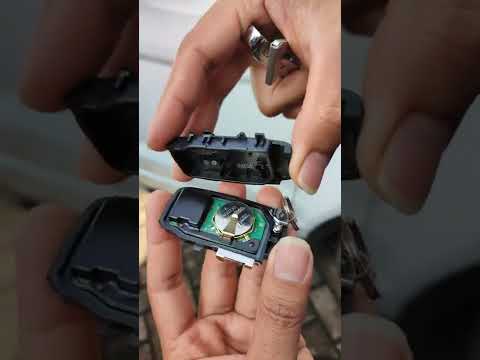
This article shows the procedure to replace the battery in the remote for the Range Rover Evoque. You will need a CR2032 battery for this operation. …
Land Rover Evoque
(2011-2018 /
L538, MK 1)
In this new mini guide dedicated to the Range Rover Evoque Mk1, you will learn how to properly replace the key battery. The entire operation can be e…
Other guides you may be interested in
|
How to reset the tire pressure sensor of the Hyundai Tucson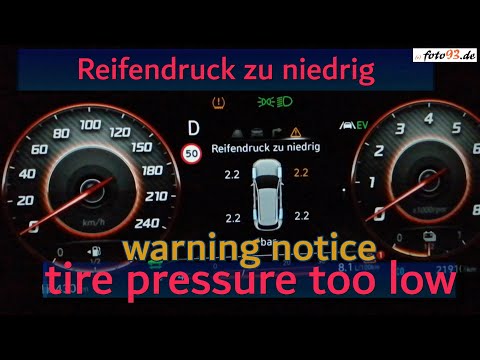
Below we will discover the instructions that will allow us to reset the tire pressure warning light (TPMS) of the Hyundai Tucson. First of all, we get into the car and turn on the instrument panel; then we go to the vehicle settings until we reach the tire pressure monitor, identifying the tire with the incorrect pressure. At this point, we proceed to restore all tire pressures, following the pattern indicated on the label; in this way the TPMS system will be reset and the warning light will be reset by the instrument panel! by ScegliAuto More videos
|

|
For advertising on this site Write to info@scegliauto.com
ScegliAuto is not responsible for any inaccuracy of the data in the lists. To report any inaccuracy or your business (if you own the business in question), please write to info@scegliauto.com
Number of seconds to generate the page: 0.228
(c) ScegliAuto 2026 - info@scegliauto.com - Privacy policy VAT number: IT01247470535 |
