
|
Do it yourself
| |||
| ||||


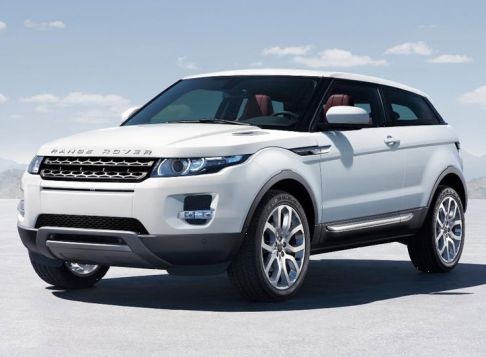
How to Change the Remote Battery for the Range Rover Evoque
Model: Land Rover Evoque
L538, MK 1
- Years:
2011, 2012, 2013, 2014, 2015, 2016, 2017, 2018
Video tutorial
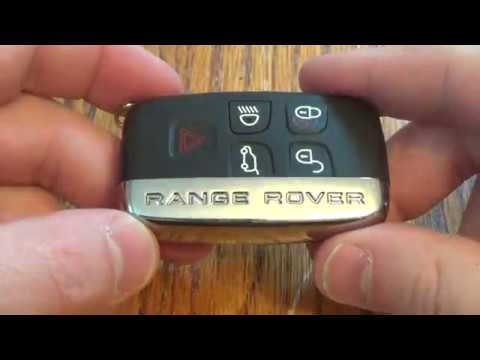
This article shows the procedure to replace the battery in the remote for the Range Rover Evoque. You will need a CR2032 battery for this operation. To replace the battery, slide the part of the key with the Range Rover logo upward to remove the cover. Once the cover is removed, you can access the emergency key. Now, extract the emergency key and use it to pry in the designated space to remove the battery cover. Once the cover is removed, you will have access to the battery. Use the emergency key again to extract and replace it, then reinsert the cover, place the emergency key back in its slot, and close the key by reinserting the emergency key cover.
Posted on 31 January 2026 by ScegliAuto
Related tutorials
Land Rover Evoque
(2018-2026 /
MK 2, L551)
In this video, see how to change the battery of the Range Rover Evoque remote; first, lift the metal part where it says "Range Rover" because the eme…

Land Rover Evoque
(2018-2026 /
MK 2, L551)
In this video tutorial, you will see step-by-step instructions for disassembling and replacing the battery in the key remote for the second generatio…
Land Rover Evoque
(2011-2018 /
L538, MK 1)
In this video, you will see how to disassemble and replace the battery of the key fob for a Land Rover Range Rover Sport, as well as the standard Ran…
Other guides you may be interested in
|
How to Open the Fuel Flap on a Volkswagen Tiguan?
To open the fuel flap on a Volkswagen Tiguan, first unlock the car using the appropriate button on the remote. This will open the car and unlock the mechanism that controls the fuel flap. At this point, apply light pressure to the left side of the flap to open it and access the cap underneath. Once this is unscrewed, you can refuel and then close everything. by ScegliAuto More videos
|
|
For advertising on this site Write to info@scegliauto.com
ScegliAuto is not responsible for any inaccuracy of the data in the lists. To report any inaccuracy or your business (if you own the business in question), please write to info@scegliauto.com
Number of seconds to generate the page: 0.124
(c) ScegliAuto 2026 - info@scegliauto.com - Privacy policy VAT number: IT01247470535 |
