
|
Do it yourself
| |||
| ||||


How to Replace the Remote Battery in a Land Rover Evoque 2
Model: Land Rover Evoque
- Years:
2018, 2019, 2020, 2021, 2022, 2023, 2024, 2025, 2026
Video tutorial
To replace the battery inside your second-generation Land Rover Evoque remote, follow the steps described below. First, purchase a CR2032 battery, then proceed to remove the physical emergency key from the inside of the cover and use the same emergency key to disassemble the remote to access the dead battery. Finally, replace it with the new battery and correctly reassemble the protective cover, making sure to insert the emergency key back inside.
Posted on 2 November 2026 by ScegliAuto
Related tutorials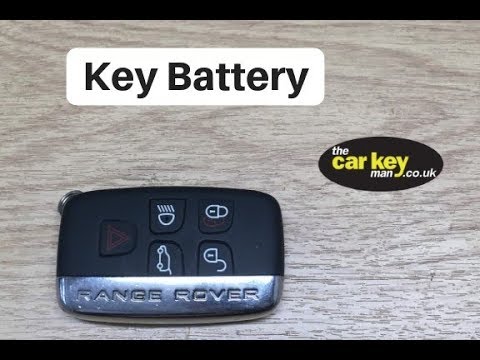
Land Rover Evoque
(2011-2018 /
L538, MK 1)
To replace the remote battery in a Land Rover Evoque, first open the remote. Remove the chrome cover with the RANGE ROVER lettering to insert a lever…

Land Rover Evoque
(2011-2018 /
L538, MK 1)
In this tutorial, you will see how to replace the key fob battery for the Land Rover Evoque, a very simple and quick operation. For this, you will ne…

Land Rover Evoque
(2011-2018 /
L538, MK 1)
In this video, you will see how to disassemble and replace the battery of the key fob for a Land Rover Range Rover Sport, as well as the standard Ran…
Other guides you may be interested in
|
How to Set the Clock on the 2024 Toyota Aygo X
The steps to set the clock on the onboard computer of a 2024 Toyota Aygo X are simple and quick to perform independently. First, turn on the instrument cluster of the vehicle. Second, press the menu button on the onboard computer. Third, select the "configuration" option from the onboard computer. Fourth, select the "clock" option to set the desired hours and minutes. Fifth, return to the main menu and restart the instrument cluster. by ScegliAuto More videos
|
|
For advertising on this site Write to info@scegliauto.com
ScegliAuto is not responsible for any inaccuracy of the data in the lists. To report any inaccuracy or your business (if you own the business in question), please write to info@scegliauto.com
Number of seconds to generate the page: 0.101
(c) ScegliAuto 2026 - info@scegliauto.com - Privacy policy VAT number: IT01247470535 |
