
|
Do it yourself
| |||
| ||||


How to access the emergency key of the Lynk&Co 01
Model: LYNK&CO 01
MK 1
- Years 2021-2026
If the smart remote control of your Lynk&Co 01 (year 2021-2023) has suddenly stopped working and you want to find out how to access the emergency physical key, then all you have to do is read the following guide and put into practice what is described. First of all, take the remote control of your car and locate the button located on the side of the cover. Immediately after, press and hold the button in question and at the same time pull outwards the metal top part of the cover until the emergency physical key is completely removed.
Posted on 12 April 2024 by ScegliAuto
Video tutorial
Related tutorials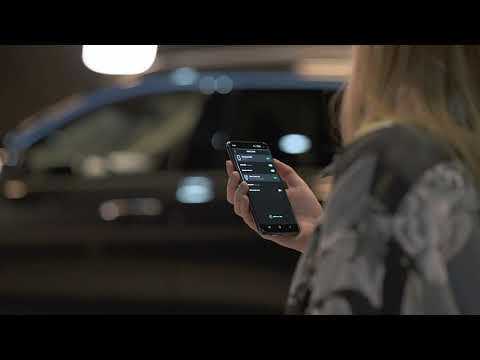
LYNK&CO 01
(2021-2026 /
MK 1)
Not everyone knows that it is possible to unlock your Lynk & Co 01 directly from your smartphone. In this new mini guide, we will explain how to do i…

LYNK&CO 01
(2021-2026 /
MK 1)
In this video, we are taken on a quick tour around the maintenance of a Lynk & Co 01: a Chinese car from the Volvo Group? No, it's Volvo that is part…

LYNK&CO 01
(2021-2026 /
MK 1)
On the Lynk & Co 01 there are a large number of ADAS (Advanced Driver Assistance Systems): Adaptive Cruise Control that automatically maintains a saf…
Other guides you may be interested in
|
How to Open the Bonnet on the Lancia Y
To open the bonnet on this vehicle, follow these simple instructions: first, open the driver's door and locate the lever positioned just below the dashboard, marked with an image of the vehicle with the bonnet open. Pull this lever towards you until you hear a "click" indicating the bonnet is released. Next, exit the cabin and stand in front of the bonnet to disengage the safety catch and complete the opening. To do this, slightly lift the bonnet, locate the yellow lever underneath, and pull it to the left to fully release and open the bonnet. by ScegliAuto More videos
|
|
For advertising on this site Write to info@scegliauto.com
ScegliAuto is not responsible for any inaccuracy of the data in the lists. To report any inaccuracy or your business (if you own the business in question), please write to info@scegliauto.com
Number of seconds to generate the page: 0.112
(c) ScegliAuto 2026 - info@scegliauto.com - Privacy policy VAT number: IT01247470535 |
