
|
Do it yourself
| |||
| ||||


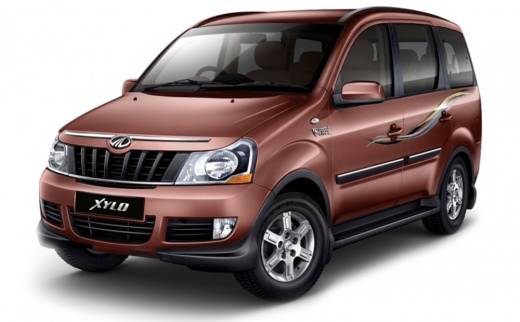
How to Replace the Buttons on a Mahindra Xylo Key?
Model: Mahindra Xylo
MK 1
- Years:
2009, 2010, 2011, 2012, 2013, 2014, 2015, 2016, 2017, 2018, 2019
Video tutorial
Using a small screwdriver with an appropriate tip, unscrew the screw located at the bottom near the key blade, and the one on the opposite side (be careful not to lose them). Then, use a flat screwdriver or a similar object to pry open the remote control case and gently extract the circuit board. Using a utility knife, remove the old keypad and install the new one, and with a bit of glue, attach the external buttons as well. Reinsert the circuit board and close the remote control case, finally tightening the two screws.
Updated on 20 May 2026 by ScegliAuto
Related tutorials
Mahindra Xylo
(2009-2019 /
MK 1)
This guide provides the main instructions to remove and replace the rear suspension on a Mahindra Xylo. First, lift the vehicle with a jack and begin…

Mahindra Xylo
(2009-2019 /
MK 1)
In today's video, we will go through the steps to remove and replace the oil filter on a Mahindra Xylo. First, lift the vehicle and begin draining th…

Mahindra Xylo
(2009-2019 /
MK 1)
This guide provides the main instructions for removing and replacing the wheel with the spare on the Mahindra Xylo. First, open the trunk and lift th…
Other guides you may be interested in
|
How to Remove the Toll Tag Holder from the Windscreen Without Damaging the Glass
Removing stickers or tags from your car's glass without damaging the windscreen has always been a problem. Especially if we attach it - as we should - at the top of the windscreen, where the "black dots" are, which is the unshielded part of the windscreen designed for this type of device, whether it be a toll tag, GoPro, cameras, or otherwise. We found this product that seems suitable, specifically designed for this purpose, and it also thoroughly removes dirt, grease, oil, and antifreeze salt from plastic surfaces. You can find it on the ATG website or on Amazon. by ScegliAuto More videos
|
|
For advertising on this site Write to info@scegliauto.com
ScegliAuto is not responsible for any inaccuracy of the data in the lists. To report any inaccuracy or your business (if you own the business in question), please write to info@scegliauto.com
Number of seconds to generate the page: 0.090
(c) ScegliAuto 2026 - info@scegliauto.com - Privacy policy VAT number: IT01247470535 |
