
|
Do it yourself
| |||
| ||||


|
Let's see in this short and simple guide how to change the style of the watch that we find on the central display of the instrumentation of the Maxus G10. First of all we get on board the car and turn on the instrument panel by pressing the button; after which we turn on our multimedia system and press the button at the bottom left (on the frame) to change the style of the clock that appears on the display itself, as shown in the video. Going to the settings it will also be possible to change the view of the entire display and the various themes.
Posted on 4 May 2022 by ScegliAuto
Video tutorial
Related tutorials
Maxus G10
(2014-2024 /
MK 1)
Let's see in this guide how to change the date and time of the Maxus G10, following these simple and quick steps. First of all we get in the car and …
Maxus G10
(2014-2024 /
MK 1)
If you are curious to know the exact location of the fuse box in your Maxus G10, all you need to do is read the instructions in the following mini gu…
Maxus G10
(2014-2024 /
MK 1)
Let's see in this short and simple guide how to use the satellite navigator of the Maxus G10, but also of the LDV G10. First of all, let's get on boa…
Other guides you may be interested in
|
How to Remove the Dome Light in a Mercedes C-Class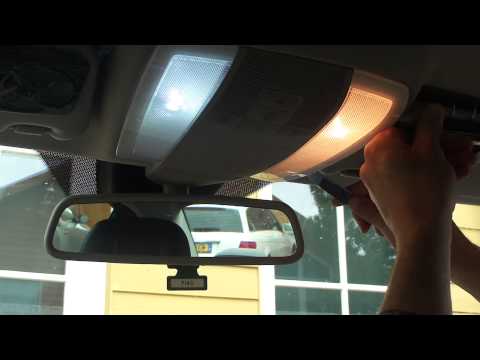
In this video, see how to replace the bulb or LED in the dome light of a Mercedes C-Class. Using a screwdriver or plastic trim tool, pry between the dome light cover and its perimeter (without breaking the plastic), remove the grille from the dome light, and then take out the clear plastic cover. Replace the damaged bulb with a new one (same size and voltage). Reinstall the plastic cover in its housing (press it in with your hands until the tabs are fully secured). Test the light's proper functioning before reinstalling the piece. by ScegliAuto More videos
|

|
For advertising on this site Write to info@scegliauto.com
ScegliAuto is not responsible for any inaccuracy of the data in the lists. To report any inaccuracy or your business (if you own the business in question), please write to info@scegliauto.com
Number of seconds to generate the page: 0.074
(c) ScegliAuto 2026 - info@scegliauto.com - Privacy policy VAT number: IT01247470535 |
