
|
Do it yourself
| |||
| ||||


How to reset the service on the Maxus T60 pickup?
Model: Maxus T60
MK 1
- Years 2016-2024
Resetting the service in the Maxus T60 pick-up, as we can see in this tutorial, is an extremely simple and quick operation. Before proceeding, we must have completed all the required scheduled maintenance work. Let's start by going inside the cabin, then we turn on the instrument panel and, using the button located at the end of the right control lever, we reach the screen related to the service. Once we have done that, we hold down the "SET" button, located on the left lever, for the necessary time for the interval to be reset correctly. Finally, we restart the vehicle.
Posted on 2 October 2023 by ScegliAuto
Video tutorial
Related tutorials
Maxus T60
(2016-2024 /
MK 1)
If the AdBlue light has turned on in the instrument panel of our Maxus T60 pick-up truck, it means that the liquid of the anti-pollution system has r…

Maxus T60
(2016-2024 /
MK 1)
In this video we see how to reset the service of the Maxus T60 pick-up. This vehicle is marketed in Australia and New Zealand under the LDV T60 brand…

Maxus T60
(2016-2024 /
MK 1)
In this video we can see how to reset the service light on a Maxus T60: on the sides of the steering wheel we have the light and turn signal levers: …
Other guides you may be interested in
|
How to Remove the Front Bumper of a Subaru Impreza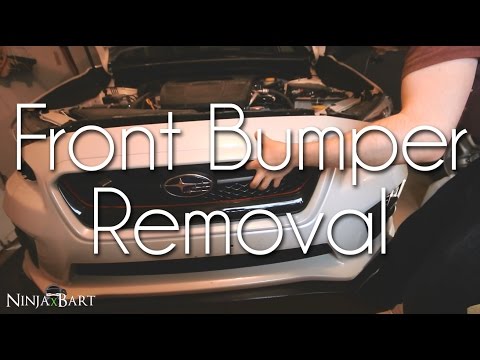
Do you want to replace the front bumper of a Subaru Impreza? Follow this guide. Lift the bonnet and secure it. Using a socket wrench, unscrew the fastening bolts of the bumper located at the top as shown in the video. Once this is done, unscrew the screws of the splash guard located near the wheels, and finally remove the plastic pins/rivets at the bottom of the bumper. Remove the bumper from the vehicle body by hand. To proceed with the installation, position the bumper as shown in the video and tighten all screws around the splash guard and the perimeter. by ScegliAuto More videos
|

|
For advertising on this site Write to info@scegliauto.com
ScegliAuto is not responsible for any inaccuracy of the data in the lists. To report any inaccuracy or your business (if you own the business in question), please write to info@scegliauto.com
Number of seconds to generate the page: 0.042
(c) ScegliAuto 2026 - info@scegliauto.com - Privacy policy VAT number: IT01247470535 |
