
|
Do it yourself
| |||
| ||||


How to reset the tire pressure light on the Mazda 6?
Model: Mazda 6
GJ, MK 3
- Years 2012-2024
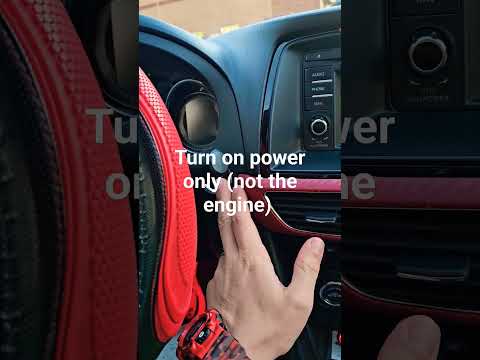
In this tutorial, we can see how to reset the tire pressure light in the Mazda 6, an extremely simple and quick operation, to be done only once the correct pressure of each tire has been restored following the instructions in the manual. First of all, let's go inside the car, then insert the key and turn on the instrument panel. Next, locate the button depicting the light in question, located on the left side of the dashboard, and hold it down for the necessary time for the light to disappear from the panel. To complete the procedure, simply restart the vehicle.
Posted on 20 November 2024 by ScegliAuto
Video tutorial
Related tutorials
Mazda 6
(2012-2024 /
GJ, MK 3)
The activation of the tire pressure warning light indicates a loss of pressure or a possible puncture on one or more tires; let's try to reset the wa…
Mazda 6
(2012-2024 /
GJ, MK 3)
In this tutorial we can see how to reset the tire pressure light in the Mazda 6, an extremely simple and quick operation, to be done only once the co…

Mazda 6
(2012-2024 /
GJ, MK 3)
Resetting the tire pressure light in the Mazda 6, as we can see in this tutorial, is an extremely simple and quick operation. Before proceeding, we m…
Other guides you may be interested in
|
How to Replace the Rear Wiper Blade on a Porsche Cayenne
In this video, see how to remove and replace the rear wiper blade on a Porsche Cayenne. Grip the metal rear arm with the plastic cover, pull the wiper blade as shown in the video until it disconnects from the clips (gently, to avoid breaking the arm), and detach it from the arm on the left. Install the new wiper blade onto the arm; you will hear a click when it is securely attached. Finally, lower the wiper arm onto the rear window and test the new blade's operation. It is always preferable to use original parts for better durability and quality. by ScegliAuto More videos
|

|
For advertising on this site Write to info@scegliauto.com
ScegliAuto is not responsible for any inaccuracy of the data in the lists. To report any inaccuracy or your business (if you own the business in question), please write to info@scegliauto.com
Number of seconds to generate the page: 0.101
(c) ScegliAuto 2026 - info@scegliauto.com - Privacy policy VAT number: IT01247470535 |
