
|
Do it yourself
| |||
| ||||


How to reset the onboard computer in the Mazda 3?
Model: Mazda 3
MK 3, BM, BN
- Years 2013-2019
In this tutorial we can see how to reset the onboard computer in the Mazda 3, an extremely simple and quick operation, to be carried out for example as an attempt to resolve an issue. First of all, let's go inside the cabin, then insert the key and turn on the instrument panel. Next, access the general menu on the central display, go to "Settings", move to the "System" tab and select "Factory Reset". At this point, all that's left is to confirm the choice, wait for the system to restart, and verify that the issues have been resolved.
Posted on 30 July 2024 by ScegliAuto
Video tutorial
Related tutorials
Mazda 3
(2019-2026 /
BP, MK 4)
To turn on the central onboard computer screen of our Mazda 3, we start by sitting in the driver's seat. Then, we need to press the start button to c…

Mazda 3
(2009-2013 /
MK 2, BL)
In order to reset the onboard computer of the Mazda 3, you need to remove the small covering panel located in the central part of the dashboard, just…
Mazda 3
(2013-2019 /
MK 3, BM, BN)
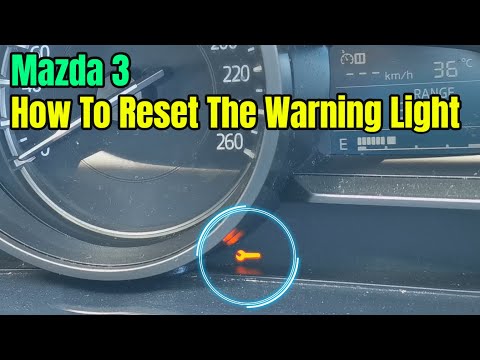
Let's see below the guide on how to reset the Mazda 3 oil change service light. First of all, we get on board the car and start turning on the instru…
Other guides you may be interested in
|
How to Remove the Factory Radio on a Mercedes A-Class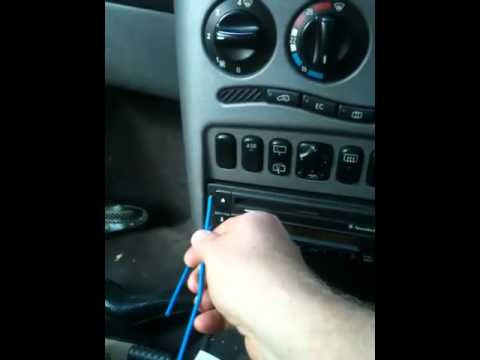
How do you remove the factory radio on a Mercedes A-Class? Let's carefully go through the disassembly process. Use the original or aftermarket metal keys to remove the car stereo: Insert the keys into the holes on the plastic trim of the stereo, pull the stereo towards you as shown in the video, and carefully extract the radio while being mindful of the various wiring (disconnect the power connectors and the antenna cable). Finally, reinstall the original radio or a generic brand with the appropriate adapter for the input and connector. by ScegliAuto More videos
|

|
For advertising on this site Write to info@scegliauto.com
ScegliAuto is not responsible for any inaccuracy of the data in the lists. To report any inaccuracy or your business (if you own the business in question), please write to info@scegliauto.com
Number of seconds to generate the page: 0.107
(c) ScegliAuto 2026 - info@scegliauto.com - Privacy policy VAT number: IT01247470535 |
