
|
Do it yourself
| |||
| ||||


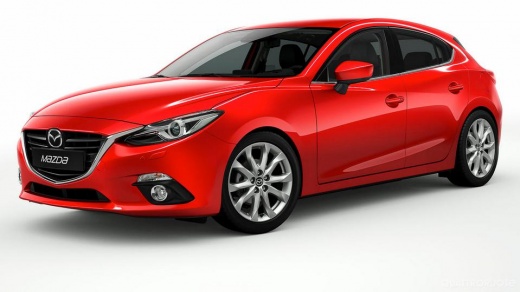
How to deactivate i-stop on the Mazda 3
Model: Mazda 3
BM, BN, MK 3
- Years:
2013, 2014, 2015, 2016, 2017, 2018, 2019
Video tutorial
Today we will explain how to deactivate the i-stop on the Mazda 3. To deactivate the sensor installed next to the front hood latch, we need to pull the hood release lever and open the front hood. Remove the plastic clips using a flathead screwdriver to release the cover. After removing the cover, unscrew the screw that locks the sensor. To prevent the flexible plate on the switch from being touched, secure it with a zip tie. Install the locking screw and then install the cover by inserting the plastic screws. Close the front hood and check by turning on the instrument panel that the i-stop mode is deactivated.
Posted on 26 October 2025 by ScegliAuto
Related tutorials
Mazda 3
(2013-2019 /
BM, BN, MK 3)
In this tutorial we can see how to deactivate the Start & Stop system in the Mazda 3, an extremely simple and quick operation to be carried out in ca…
Mazda 3
(2009-2013 /
BL, MK 2)
In this tutorial, you will see how to reset the I-Stop system in the Mazda 3, commonly referred to as Start&Stop. Since it is an intelligent system, …
Mazda 3
(2019-2026 /
MK 4, BP)
In this video, you will learn about the Mazda i-stop system, which limits fuel consumption and reduces CO2 emissions and noise by turning off the eng…
Other guides you may be interested in |
How to open the boot if it is stuck on a Mercedes B-Class?
On the Mercedes B-Class, the boot may become stuck, possibly due to a problem with the control button or the lock actuator. In this case, perform the emergency opening by following the simple procedure shown in this tutorial. First, unlock the locks with the remote control, then open the rear doors and, by operating the indicated lever, lower the backrest of the seat. Next, go inside the boot, locate the indicated gap, and manually unlock the lock using a small screwdriver. by ScegliAuto More videos
|
|
For advertising on this site Write to info@scegliauto.com
ScegliAuto is not responsible for any inaccuracy of the data in the lists. To report any inaccuracy or your business (if you own the business in question), please write to info@scegliauto.com
Number of seconds to generate the page: 0.016
(c) ScegliAuto 2026 - info@scegliauto.com - Privacy policy VAT number: IT01247470535 |
