
|
Do it yourself
| |||
| ||||


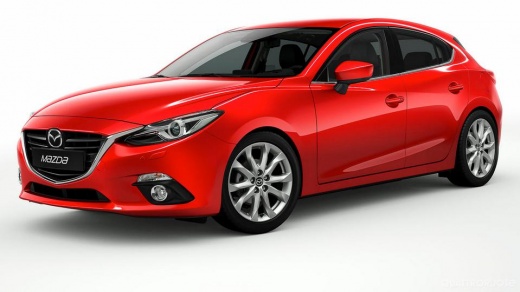
How to deactivate the Start & Stop in the Mazda 3?
Model: Mazda 3
BM, BN, MK 3
- Years:
2013, 2014, 2015, 2016, 2017, 2018, 2019
Video tutorial
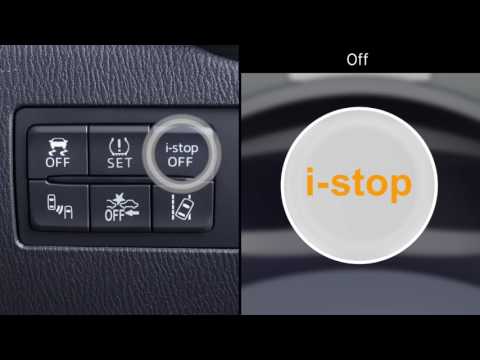
In this tutorial we can see how to deactivate the Start & Stop system in the Mazda 3, an extremely simple and quick operation to be carried out in case we find the system too intrusive. First of all, let's go inside the car, then insert the key and start the engine. Next, locate the button with the inscription "i-stop OFF" located on the lower external console of the dashboard, press it and check that the indicator light indicating deactivation has appeared on the dashboard. However, this operation is not permanent, as it will need to be done every time the vehicle is started.
Posted on 22 June 2025 by ScegliAuto
Related tutorials
Mazda 3
(2013-2019 /
BM, BN, MK 3)
Today we will explain how to deactivate the i-stop on the Mazda 3. To deactivate the sensor installed next to the front hood latch, we need to pull t…
Mazda 3
(2019-2026 /
MK 4, BP)
In this video, you will learn about the Mazda i-stop system, which limits fuel consumption and reduces CO2 emissions and noise by turning off the eng…
Mazda 3
(2009-2013 /
BL, MK 2)
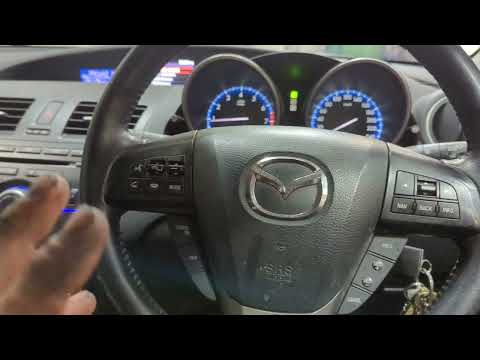
In this tutorial, you will see how to reset the I-Stop system in the Mazda 3, commonly referred to as Start&Stop. Since it is an intelligent system, …
Other guides you may be interested in
|
How to Open the Fuel Flap on a Volkswagen Tiguan?
To open the fuel flap on a Volkswagen Tiguan, first unlock the car using the appropriate button on the remote. This will open the car and unlock the mechanism that controls the fuel flap. At this point, apply light pressure to the left side of the flap to open it and access the cap underneath. Once this is unscrewed, you can refuel and then close everything. by ScegliAuto More videos
|
|
For advertising on this site Write to info@scegliauto.com
ScegliAuto is not responsible for any inaccuracy of the data in the lists. To report any inaccuracy or your business (if you own the business in question), please write to info@scegliauto.com
Number of seconds to generate the page: 0.106
(c) ScegliAuto 2026 - info@scegliauto.com - Privacy policy VAT number: IT01247470535 |
