
|
Do it yourself
| |||
| ||||


Mercedes Classe G - Checks and maintenanceChecks And Maintenance Mercedes Classe G (1989-2018 / w 463 1 st) Mercedes Classe G (1989-2018 / W4631st) How do you turn off the sound of a car horn? The video presented here specifically indicates how to deactivate the horn sound in a specific circumstance, namely when locking the car with the remote …Read all… Posted on 12 November 2025 by ScegliAuto  Mercedes Classe G (1989-2018 / W4631st) How to Remove and Clean the Urea Injection Nozzle on a Mercedes GLC In this video, you will see how to remove and clean the urea injection nozzle on a Mercedes GLC, which shows an error message regarding AdBlue, indicating the …Read all… Posted on 16 October 2026 by ScegliAuto  Mercedes Classe G (1989-2018 / W4631st) How to Install a Wireless Charger in a Mercedes GLA Let's see how to install a wireless charger in a Mercedes GLA (the same procedure also applies to CLA or A-Class). First, open the armrest and remove the part …Read all… Posted on 2 October 2026 by ScegliAuto Battery (2) Key (1) Checks and maintenance (3) Differential (1) Air filter (2) Headlight bulb (1) Clock (1) Door trim panel (1) Fuse box (12) AdBlue warning light (2) Warning light – error code (2) Tire pressure warning light (1) Service warning light (12) Manufacturer emblem (1) Fuel cap (2) |
How to Reset the Tyre Pressure Warning Light on the Jeep Compass?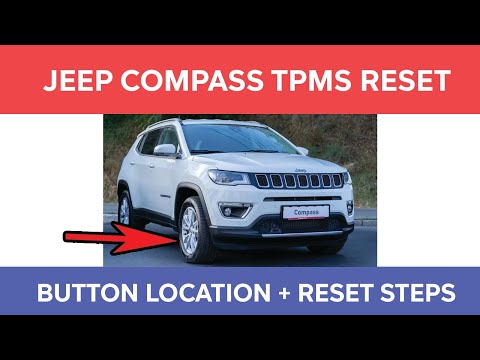
To reset the tyre pressure warning light on the Jeep Compass, inflate all tyres to the correct pressure value, which is indicated on the sticker affixed to the driver’s door pillar. Once all tyres are at this pressure, switch on the ignition and press and hold the corresponding button located to the left of the steering wheel. This will turn off the warning light, but to prevent it from reactivating, you must reset the system using an OBD scanner connected to the designated port. by ScegliAuto More videos
|
|
For advertising on this site Write to info@scegliauto.com
ScegliAuto is not responsible for any inaccuracy of the data in the lists. To report any inaccuracy or your business (if you own the business in question), please write to info@scegliauto.com
Number of seconds to generate the page: 0.005
(c) ScegliAuto 2026 - info@scegliauto.com - Privacy policy - About us VAT number: IT01247470535 |
