
|
Do it yourself
| |||
| ||||



How to Reset the Service Light on a Mercedes GLC
Model: Mercedes Glc
X254, C254, MK 2
- Years:
2022, 2023, 2024, 2025, 2026
Video tutorial
To reset the service light on a Mercedes-Benz GLC, turn on the ignition without starting the engine. Using the controls on the left side of the steering wheel, navigate the display to the total mileage screen. From this screen, press and hold both the OK button and the button with the phone symbol for a few seconds until the service menu appears. When the workshop menu appears, use the arrows to select the "Assyst Plus" option. Enter the maintenance section and choose the option to reset the service. Confirm when prompted by the system and wait for the message indicating the reset is complete. Finally, turn off the ignition and turn it back on to check that the service light has been cleared.
Posted on 29 April 2026 by ScegliAuto
Related tutorials
Mercedes Glc
(2015-2022 /
C253, X253, MK 1)
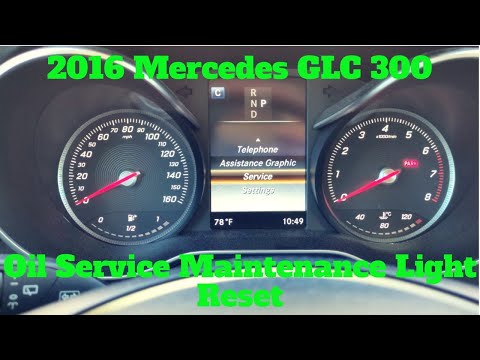
To reset the service light on a Mercedes GLC, get in the car and turn on the instrument cluster without starting the engine. Use the controls on the …
Mercedes Glc
(2015-2022 /
C253, X253, MK 1)
Today, let's go through the procedure to reset the service light for the regular maintenance oil change on the Mercedes GLC. First, get in the vehicl…

Mercedes Glc
(2015-2022 /
C253, X253, MK 1)
To reset the service light on a Mercedes GLC, turn on the ignition without starting the engine and display the odometer screen on the instrument clus…
Other guides you may be interested in
|
Where are the fuses located in the Renault Megane 2?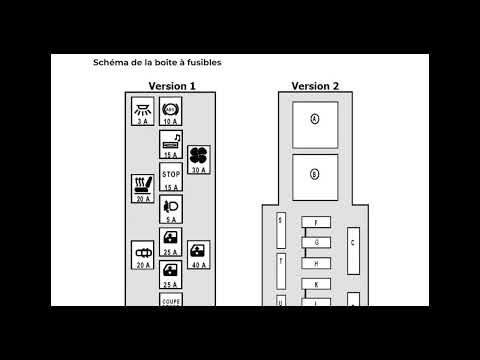
The fuses in the Renault Megane 2 are divided within the specific fuse boxes installed in the vehicle: this model has two fuse boxes. The first is located inside the dashboard, at the bottom left of the steering column: this box contains the fuses for the window lifters, heated seats, courtesy lights, etc. The second fuse box is positioned on the right side of the engine bay and contains the fuses for the windscreen wipers, horn, etc. by ScegliAuto More videos
|
|
For advertising on this site Write to info@scegliauto.com
ScegliAuto is not responsible for any inaccuracy of the data in the lists. To report any inaccuracy or your business (if you own the business in question), please write to info@scegliauto.com
Number of seconds to generate the page: 0.032
(c) ScegliAuto 2026 - info@scegliauto.com - Privacy policy VAT number: IT01247470535 |
