
|
Do it yourself
| |||
| ||||


How to Set the Time on a Mercedes ML320?
Model: Mercedes Classe M
W163
- Years 1997-2005
To reset the clock on a Mercedes ML320, for example after switching to daylight saving time, follow this short video tutorial showing how to proceed. Start by turning the key to one position and switch on the instrument cluster. Locate the button to the right of the speedometer, pull it out and simultaneously turn it anti-clockwise to change the hour, and clockwise to change the minutes. Being an older model, you may need to apply some force while turning as the contacts may be worn. Once the time is set, release the button and return it to its standard position.
Updated on 29 April 2026 by ScegliAuto
Video tutorial
Related tutorials
Mercedes Classe M
(1997-2005 /
W163)
The video describes how to replace the refrigerant liquid of the Mercedes Benz ML320 w163. The first operation to be carried out is to drain the radi…
Mercedes Classe M
(2005-2011 /
W164)
This guide briefly outlines the steps to correctly set the date and time on the Mercedes ML. First, get into the vehicle and turn on the instrument c…

Mercedes Classe M
(2011-2018 /
W166)
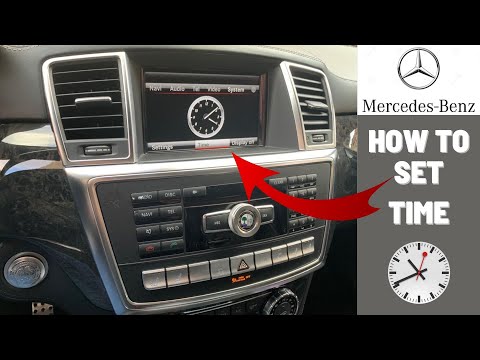
In this tutorial, you will see how to set the time in a Mercedes M-Class, a very simple and quick operation, to be done for example after disconnecti…
Other guides you may be interested in
|
How to Connect the Cables to the Battery of the Citroen Xsara Picasso?
In this tutorial, you will see how to connect the cables to the battery of the Citroen Xsara Picasso, useful if you need to recharge it or perform an emergency start. First, ensure the key is not inserted, then open the bonnet and move to the front of the left headlamp. Next, locate the bolt just behind the filter box and connect the positive terminal clamp to it. Now you can connect the negative terminal to any point on the chassis, such as the indicated point. Once the operation is complete, ensure you disconnect the negative first and then the positive. by ScegliAuto More videos
|
|
For advertising on this site Write to info@scegliauto.com
ScegliAuto is not responsible for any inaccuracy of the data in the lists. To report any inaccuracy or your business (if you own the business in question), please write to info@scegliauto.com
Number of seconds to generate the page: 0.634
(c) ScegliAuto 2026 - info@scegliauto.com - Privacy policy VAT number: IT01247470535 |
