
|
Do it yourself
| |||
| ||||


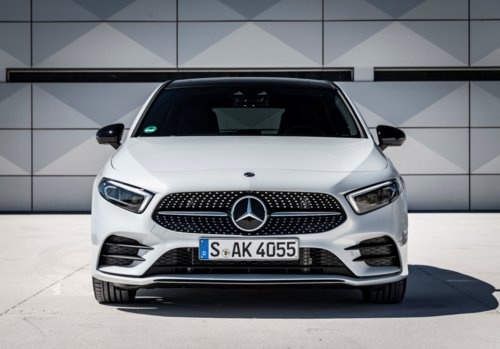
How to Replace the Wiper Arms on a Mercedes A-Class?
Model: Mercedes Classe A
W177
- Years:
2018, 2019, 2020, 2021, 2022, 2023, 2024, 2025, 2026
Video tutorial
To replace the wiper arms on a Mercedes A-Class, lift the hood to gain easier access to the base of the windshield, where the wiper pivots are located. To remove the arms and the wiper blades, loosen the nut that secures the pivot at the base of the arm. Once the nut for the first arm is removed, perform the same operation for the other arm. The new arms and wiper blades can then be positioned at the base of the windshield and secured with the corresponding nuts.
Updated on 3 May 2026 by ScegliAuto
Related tutorials
Mercedes Classe A
(2018-2026 /
W177)
.. the windshield wiper blades on a Mercedes A-Class, lift the wipers so they do not touch the windshield. This allows you to angle the wipers perpendicular.. …

Mercedes Classe A
(2018-2026 /
W177)
.. remove and replace the wiper arm on a Mercedes A-Class. First, turn off the ignition and remove the key from the vehicle. Open the hood and first remove.. …

Mercedes Classe A
(1997-2004 /
W168)
.. and replace the front wipers on the Mercedes A-Class. First, move to the front of your car and lift the wiper arm; then rotate it and pull it backward.. …
Other guides you may be interested in |
How to Reset the AdBlue Warning Light on a Nissan Qashqai
Hello everyone! Today, I will explain how to reset the important AdBlue additive warning light on your Nissan Qashqai. Reset via the dashboard menu: turn on the car and ensure the instrument cluster is active. Scroll through the menu until you find the option “Service” or “AdBlue”. Select the “Reset” option and confirm. To top up the AdBlue level, open the tank flap and use the supplied nozzle to refill the AdBlue fluid with the engine off. Once the car is turned off and back on, the warning light should disappear if the refill was successful. Good luck. by ScegliAuto More videos
|
|
For advertising on this site Write to info@scegliauto.com
ScegliAuto is not responsible for any inaccuracy of the data in the lists. To report any inaccuracy or your business (if you own the business in question), please write to info@scegliauto.com
Number of seconds to generate the page: 0.011
(c) ScegliAuto 2026 - info@scegliauto.com - Privacy policy VAT number: IT01247470535 |
