
|
Do it yourself
| |||
| ||||


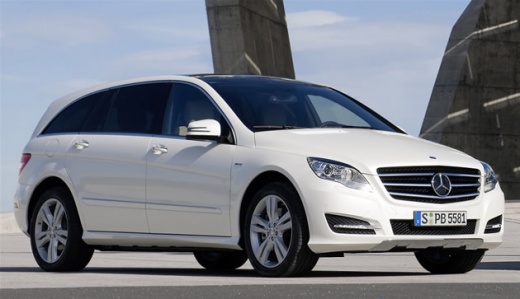
How to Reset the Tyre Warning Light on a Mercedes R-Class
Model: Mercedes Classe R
MK 1, W251
- Years:
2005, 2006, 2007, 2008, 2009, 2010, 2011, 2012, 2013
Video tutorial
In this guide, learn how to reset the tyre warning light on a Mercedes R-Class W251 after restoring the correct pressure in all four tyres. Turn the key and switch on the instrument panel. Use the up arrow button to scroll to the tyre pressure display. Press the R button on the instrument panel to start the reset procedure. At this point, press the + button to confirm and drive the car for a few miles; it will automatically carry out the check.
Updated on 25 May 2026 by ScegliAuto
Related tutorials
Mercedes Classe R
(2005-2013 /
MK 1, W251)
.. tyre pressure warning light on the Mercedes R-Class, a very simple and quick operation to perform only after completing all required scheduled maintenance.. …

Mercedes Classe R
(2005-2013 /
MK 1, W251)
.. To reset the Service light on a Mercedes R-Class, turn on the ignition by inserting the key, then navigate through the menu using the arrow buttons.. …

Mercedes Classe R
(2005-2013 /
MK 1, W251)
.. related to tire pressure, on a 2010 Mercedes Class R vehicle. Start the car's dashboard and press the down arrow button to access the vehicle menu... …
Other guides you may be interested in
|
How to Reset the Tyre Pressure Light on a Cupra Formentor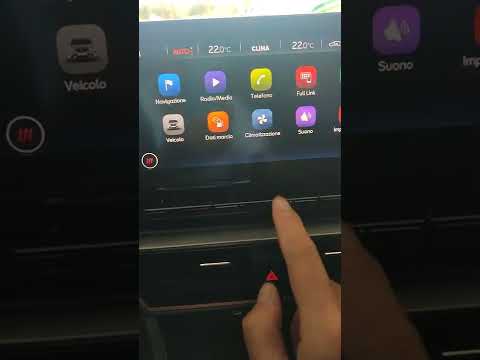
In this brief and simple video tutorial, learn how to reset the tyre pressure on a Cupra Formentor. Start by pressing the ignition button to turn on the instrument cluster. Now, use the touchscreen display on the central console to open the car menu. From here, select the driving data option, then the tyre pressure option. Now, click on the "SET" button with the pressure warning symbol and confirm the correct tyre pressure required by the manufacturer to perform the reset. by ScegliAuto More videos
|
|
For advertising on this site Write to info@scegliauto.com
ScegliAuto is not responsible for any inaccuracy of the data in the lists. To report any inaccuracy or your business (if you own the business in question), please write to info@scegliauto.com
Number of seconds to generate the page: 0.078
(c) ScegliAuto 2026 - info@scegliauto.com - Privacy policy VAT number: IT01247470535 |
