
|
Do it yourself
| |||
| ||||


How to reset the service light on the MG ZS
Model: MG ZS
Zs11
- Years 2017-2024
If you are the owner of a MG ZS (year 2024) and you are wondering how to reset the service light, then all you have to do is read the following steps and apply them step by step. First, start the car's dashboard along with the infotainment system, then use the latter to access the vehicle settings screen. At this point, locate the voice related to car maintenance and then click on the "Reset" button to complete the reset of the light. Finally, exit the vehicle menu and turn off your MG ZS.
Posted on 23 August 2025 by ScegliAuto
Video tutorial
Related tutorials
MG ZS
(2017-2024 /
Zs11)
In this video, we will see how to reset the service light of the MG ZS: we turn on the car without starting the engine and without pressing the brake…

MG ZS
(2017-2024 /
Zs11)
In this very useful guide, we are shown how to perform a service reset using the right steering wheel keypad on an MG ZS, a model produced from 2017 …

MG ZS
(2017-2024 /
Zs11)
Below you will find information on how to correctly reset the tire pressure warning light in the MG ZS. The steps are very simple and quick. As advis…
Other guides you may be interested in
|
How to Replace the Fuel Filler Flap of a Volkswagen Golf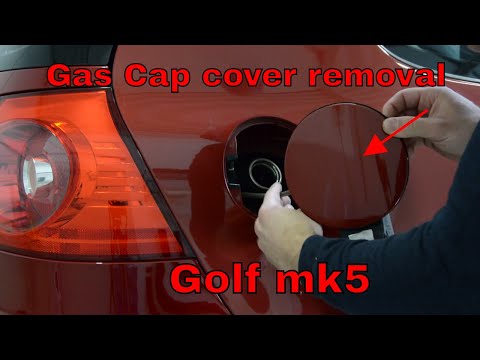
As the first step, open the fuel flap and unscrew the cap of the fuel filler neck. Just below the flap closure hook, there is a screw to unscrew. This way, you can easily pull the edge you just unscrewed with your hands. Be careful with the gasket present, and with great care, continue with the extraction of the flap. Once removed, you can make the necessary replacements. Now, retrace the steps described in reverse for reassembling the various components, and you're done! by ScegliAuto More videos
|

|
For advertising on this site Write to info@scegliauto.com
ScegliAuto is not responsible for any inaccuracy of the data in the lists. To report any inaccuracy or your business (if you own the business in question), please write to info@scegliauto.com
Number of seconds to generate the page: 0.047
(c) ScegliAuto 2026 - info@scegliauto.com - Privacy policy VAT number: IT01247470535 |
