
|
Do it yourself
| |||
| ||||


How do you reset the brake wear indicator light on the Mini?
Model: Mini Mini
F55, F56, F57, F54
- Years 2014-2023
To reset the brake wear indicator light that appears on the Mini's instrument panel, you will need to turn on the instrument panel by turning the key in the appropriate cylinder. Once the instrument panel is turned on, you will need to navigate the menu on the display using the lever at the bottom right of the speedometer. You will need to find the option that concerns the reset of the brake indicator light: by holding down the same lever, a loading bar will appear. When this loading bar is complete, the indicator light will be properly reset and will disappear from the instrument panel.
Posted on 5 September 2024 by ScegliAuto
Video tutorial
Related tutorials
Mini
(2007-2014 /
R55, R57, R56)
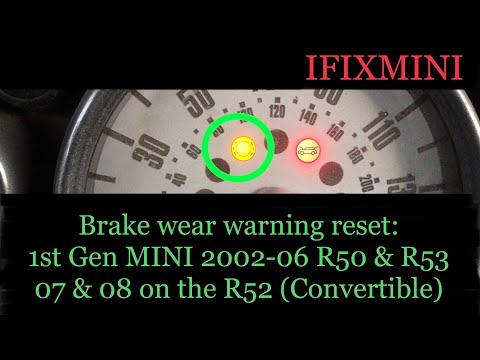
Let's see the instructions on how to reset the brake wear indicator light on the Mini Cooper, following these simple steps. It may sometimes be neces…
Mini
(2001-2007 /
R53, R50, R52)
Let's find out below the instructions that will allow us to reset the brake pad wear warning light of the Mini Cooper. First of all we get on board t…

Mini
(2007-2014 /
R55, R57, R56)
To reset the brake wear indicator light that appears on the Mini's instrument panel, you need to turn on the panel by inserting the ignition key into…
Other guides you may be interested in
|
How to Replace the Air Temperature Sensor on an Opel Astra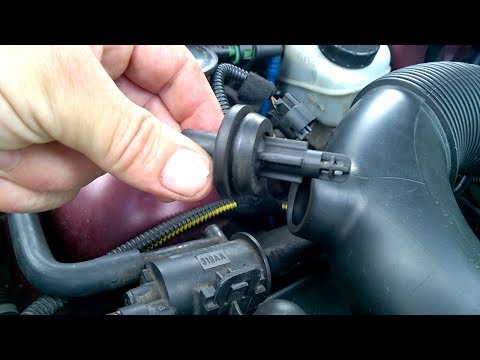
Are you having problems with the engine air temperature? Is the sensor in the engine not working anymore? Let’s see how to properly remove and replace the air temperature sensor on an Opel Astra. Open the bonnet, lift it and secure it. Disconnect the power connector of the sensor (located on the air hose) with your fingers, then remove the valve from its seat. After comparing the damaged valve with the new one, fit it onto the air hose in the engine bay. Test the car for proper operation. by ScegliAuto More videos
|

|
For advertising on this site Write to info@scegliauto.com
ScegliAuto is not responsible for any inaccuracy of the data in the lists. To report any inaccuracy or your business (if you own the business in question), please write to info@scegliauto.com
Number of seconds to generate the page: 0.097
(c) ScegliAuto 2026 - info@scegliauto.com - Privacy policy VAT number: IT01247470535 |
