
|
Do it yourself
| |||
| ||||


How do you reset the tire pressure warning light on the Mini One?
Model: Mini Mini
R60, Countryman1
- Years 2010-2016
In order to reset the tire pressure warning light of the Mini One, you must first go and inflate the tires until they reach the recommended pressure value: this value is indicated on the sticker attached to the driver's side door pillar. Once the tires have been inflated, you can navigate through the menu that appears on the central display by selecting the "Vehicle status" option: then you must select the "Flat tyre monitor" option and then "Perform reset". This way, the warning light will completely disappear from the instrument panel.
Posted on 1 November 2024 by ScegliAuto
Video tutorial
Related tutorials
Mini
(2007-2014 /
R57, R55, R56)
Today's information will show us how to reset the tire pressure warning light on the Mini Cooper; before performing the TPMS sensor reset, it is nece…

Mini
(2010-2016 /
R60, Countryman1)
The activation of the TPMS light indicates a possible puncture or pressure loss from one or more tires; in this guide we will see how to reset the ti…
Mini
(2010-2016 /
R60, Countryman1)
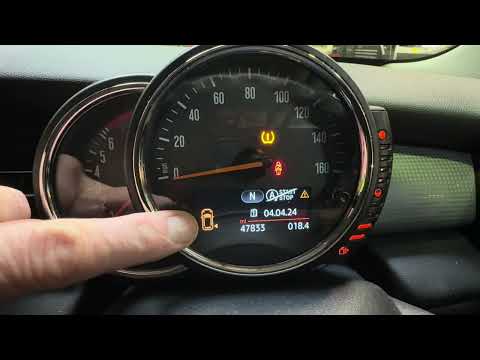
If the orange tire pressure warning light on the instrument panel of your 2015 Mini Countryman continues to stay on, it means that the control unit h…
Other guides you may be interested in
|
Frequently Asked QuestionsFuse Replacement on Fiat Grande Punto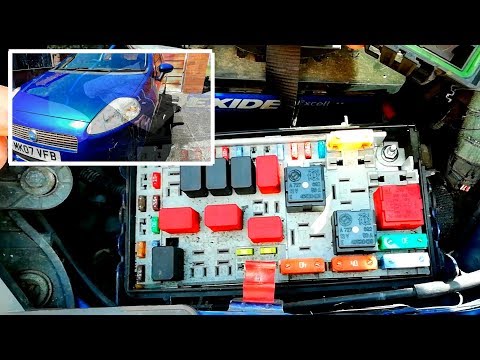
Fuse replacement on the Fiat Grande Punto? Let's see where they are located. Open the door and enter the cabin, then open the glove compartment in the front dashboard (you will find the fuses there). You will also find fuses in the engine compartment: open the front bonnet and remove the cover near the battery using a plastic lever. Use pliers to disconnect the damaged fuses located in the compartment. Once this is done, insert the new fuses into the designated slots in the compartment. Close the fuse inspection box with the cover. by ScegliAuto More videos
|

|
For advertising on this site Write to info@scegliauto.com
ScegliAuto is not responsible for any inaccuracy of the data in the lists. To report any inaccuracy or your business (if you own the business in question), please write to info@scegliauto.com
Number of seconds to generate the page: 0.051
(c) ScegliAuto 2026 - info@scegliauto.com - Privacy policy VAT number: IT01247470535 |
