
|
Do it yourself
| |||
| ||||



Video tutorial
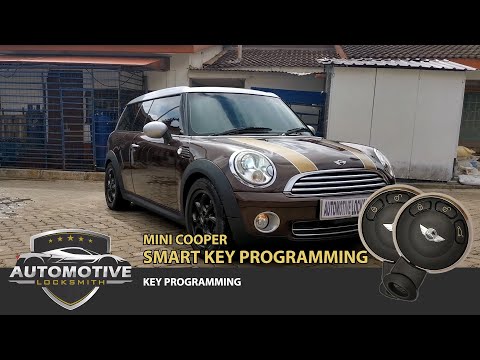
In this tutorial, you will see how to programme a new remote for the Mini Cooper, a straightforward operation that requires the use of the Smart Pro device. You will also need a functioning remote. First, enter the cabin, then turn on the instrument cluster, connect the device to the OBD port, and activate it. Next, start the connection procedure, select "Program keys", "Remote", place the new remote on the programmer base, and wait for the procedure to complete. At this point, simply disconnect the device and check the correct functioning of the remote.
Updated on 8 November 2026 by ScegliAuto
Related tutorials
Mini
(2001-2007 /
R50, R52, R53)
The following steps will show us how to program the remote control key of the Mini Cooper. In order to program the key, it is necessary to use a spec…
Mini
(2010-2016 /
R60, Countryman1)
Programming a new remote for the Mini Cooper is a somewhat complicated task best left to a professional. To program the remote, you must completely d…

Mini
(2010-2016 /
R60, Countryman1)
This guide provides instructions on how to program the remote key of the Mini Countryman. To program the key and remote, you need a specific programm…
ScegliAuto offers an extensive international collection of automotive tutorials available in 12 languages. Each guide combines instructional videos with original explanations written by experienced human editors, along with information about the car models covered.
Other guides you may be interested in
|
How to Adjust the Headlights on a Volkswagen Golf 7
This brief video tutorial shows the necessary steps to manually adjust the headlights on a seventh-generation Volkswagen Golf, produced from 2012 to 2019. Adjusting the dipped beam headlights is a very simple task. Open the bonnet and locate the adjustment screw at the back of the headlights as shown in the video. Once located, use a 6 mm Allen key to turn the screw clockwise or anti-clockwise to raise or lower the beam. by ScegliAuto More videos
|
|
For advertising on this site Write to info@scegliauto.com
ScegliAuto is not responsible for any inaccuracy of the data in the lists. To report any inaccuracy or your business (if you own the business in question), please write to info@scegliauto.com
Number of seconds to generate the page: 0.076
(c) ScegliAuto 2026 - info@scegliauto.com - Privacy policy - About us VAT number: IT01247470535 |
