
|
Do it yourself
| |||
| ||||


How do you reset the Service light on the Mini Cooper?
Model: Mini Mini
F55, F54, F57, F56
- Years 2014-2023
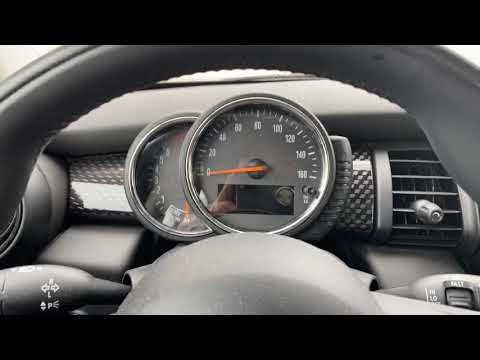
The Service indicator shown on the instrument panel of the Mini Cooper can be reset by turning on the instrument panel, pressing the appropriate power button located on the central tunnel: once the instrument panel is turned on, you will need to hold down the TRIP 0.0 button located on the right side of the tachometer. This will access a menu, where the oil icon with the remaining kilometers until the next replacement will be displayed: by continuing to hold down the same button, you can reset the Service indicator and then turn off the instrument panel.
Posted on 14 March 2025 by ScegliAuto
Video tutorial
Related tutorials
Mini
(2014-2023 /
F55, F54, F57, F56)
The service light reset on a Mini Cooper vehicle follows simple and quick steps to be carried out independently. To reset the service light related t…
Mini
(2014-2023 /
F55, F54, F57, F56)
In today's guide we will see how to reset the oil change routine maintenance service light on a 2016 Mini Cooper S, fourth series. First we get insid…

Mini
(2014-2023 /
F55, F54, F57, F56)
To reset the Service light on a Mini Cooper, you need to turn on the instrument panel by pressing the ignition button located on the center console. …
Other guides you may be interested in |
How to Remove the High-Pressure Fuel Pump on VW Golf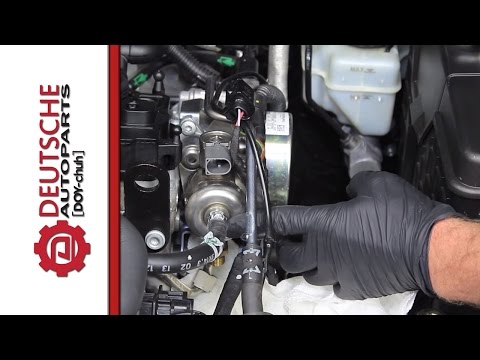
In this video, learn how to remove the high-pressure fuel pump on the Volkswagen Golf. Lift the bonnet and secure it, then remove the engine soundproofing panel. Using a screwdriver, unscrew the locking pins of the ventilation pipe and remove the piece from the engine bay. Start removing the fastening pins of the pump as shown in the video. Once the piece is detached from its seat, disconnect the clip present on it. Finally, refit the high-pressure fuel pump in the engine bay, along with the intake pipe and the soundproofing panel. by ScegliAuto More videos
|

|
For advertising on this site Write to info@scegliauto.com
ScegliAuto is not responsible for any inaccuracy of the data in the lists. To report any inaccuracy or your business (if you own the business in question), please write to info@scegliauto.com
Number of seconds to generate the page: 0.046
(c) ScegliAuto 2026 - info@scegliauto.com - Privacy policy VAT number: IT01247470535 |
