
|
Do it yourself
| |||
| ||||


How to adjust the clock of the Mini Cooper
Model: Mini Mini
R57, R55, R56
- Years 2007-2014
Today's instructions will show us how to change the time on the Mini Cooper's instrument panel display, in simple steps. First, we get into the car and turn on the instrument panel; then we press the menu button, go to settings, and then to the "time" option, as shown in the video. At this point, we set the hour and minutes, selecting the desired format as well; if necessary, we also adjust the date, then exit the clock settings menu to save all the changes made!
Posted on 14 May 2025 by ScegliAuto
Video tutorial
Related tutorials
Mini
(2023-2026 /
F66)
The clock of the Mini Cooper can be adjusted by turning on the instrument panel, so that it is possible to navigate within the menu that will appear …

Mini
(2014-2023 /
F55, F54, F57, F56)
In this tutorial, we can see how to adjust the time in the Mini Cooper, an extremely simple and quick operation, to be carried out, for example, afte…

Mini
(2007-2014 /
R57, R55, R56)
Setting the time and minutes on a Mini Cooper vehicle is a simple and quick process. The first step is to turn on the vehicle's instrument panel. The…
Other guides you may be interested in
|
Removing the Front Wheel of a Yamaha Tmax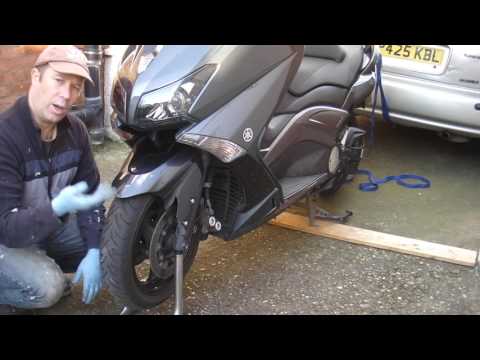
In this video tutorial, you will learn how to remove the front wheel of a Yamaha Tmax 530 (penultimate series). First, remove the fork bolts using a ratchet spanner: then also remove the brake caliper. Now, you will need a stand to lift the front of the bike to safely remove the wheel: then unscrew the central bolt of the wheel: at this point, you can remove it. If desired, you can also remove the mudguard by unscrewing the relevant screws. Apply the reverse procedure for reassembly! by ScegliAuto More videos
|

|
For advertising on this site Write to info@scegliauto.com
ScegliAuto is not responsible for any inaccuracy of the data in the lists. To report any inaccuracy or your business (if you own the business in question), please write to info@scegliauto.com
Number of seconds to generate the page: 0.083
(c) ScegliAuto 2026 - info@scegliauto.com - Privacy policy VAT number: IT01247470535 |
