
|
Do it yourself
| |||
| ||||


|
Video tutorial
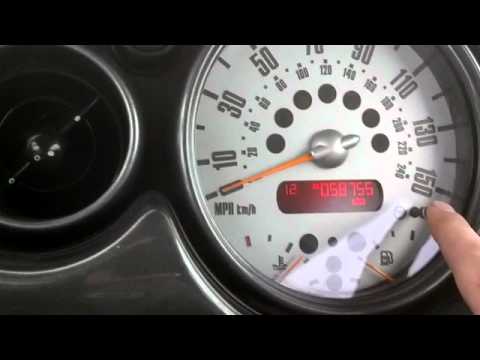
These simple steps will show you how to change the time on the display of the Mini Cooper instrument cluster. First, get in the car and turn on the ignition; then press and hold the button located at the bottom right of the speedometer to enter the clock settings, as shown in the video. At this point, change the hours and minutes, adjusting the time format if necessary; exit the clock settings to save the changes, then start the engine!
Posted on 27 February 2026 by ScegliAuto
Related tutorials
Mini
(2007-2014 /
R56, R57, R55)
In this brief guide, you will find instructions to change the time on the instrument cluster of a Mini Cooper. First, get into the vehicle and turn o…
Mini
(2001-2007 /
R50, R52, R53)
If the time displayed on the small screen of your Mini Cooper R53 (2001-2007) is incorrect, you can easily change it manually by following these step…

Mini
(2007-2014 /
R56, R57, R55)
You can change the clock displayed on the Mini Cooper by turning on the instrument panel: once it is on, use the button located in the centre lower p…
Other guides you may be interested in
|
How to Reset the EDC Light on a Mercedes Sprinter?
When the EDC light appears on the instrument cluster of a Mercedes Sprinter, it indicates a generic malfunction in the vehicle's injection system. To identify the source of the problem, a diagnosis must be performed at a workshop. This will help identify the damaged component, which will need to be replaced or repaired. Once the issue has been physically addressed, connect a diagnostic tool to the vehicle's OBD port located under the steering column. This will allow you to clear the errors in the ECU, turning off the EDC light. by ScegliAuto More videos
|
|
For advertising on this site Write to info@scegliauto.com
ScegliAuto is not responsible for any inaccuracy of the data in the lists. To report any inaccuracy or your business (if you own the business in question), please write to info@scegliauto.com
Number of seconds to generate the page: 0.062
(c) ScegliAuto 2026 - info@scegliauto.com - Privacy policy VAT number: IT01247470535 |
