
|
Do it yourself
| |||
| ||||


How to set the clock in the Mini Cooper
Model: Mini Mini
R55, R57, R56
- Years 2007-2014
Adjusting the clock on the display of the Mini Cooper instrument panel is a simple and quick operation to follow independently. To perform this operation, we need to turn on the vehicle's instrument panel and press the menu button on the steering wheel to access the vehicle settings. Select the "settings" option and then select the "date and time" option. From the clock menu, adjust the time using the time zone, and if desired, we can also change the time format; from the same menu, we can also adjust the date. After completing the operations, we can return to the main menu and turn off and then turn on the instrument panel again to complicate the operation.
Posted on 9 June 2025 by ScegliAuto
Video tutorial
Related tutorials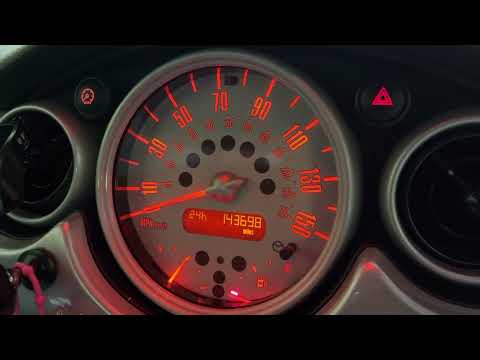
Mini
(2001-2007 /
R53, R50, R52)
To set the clock in a Mini Cooper, you need to turn on the instrument panel by turning the ignition key. Once the panel is on, you can hold down the …

Mini
(2001-2007 /
R53, R50, R52)
The clock of the Mini Cooper can be adjusted by turning on the instrument panel, turning the ignition key: once the panel is turned on, you can hold …

Mini
(2014-2023 /
F55, F56, F57, F54)
Today we will see step by step instructions on how to change the time on the central display of the Mini Cooper. First of all, we get into the car an…
Other guides you may be interested in
|
How to Replace the Front Headlights on the Opel Antara
First, release the bonnet using the lever to lift it and secure it with the prop rod. Then, remove the clips from the top of the black panel above the bumper to lift it out. Proceed to remove the bolts securing each headlight. Lift the headlight by disconnecting the parts that hold it at the back. If you only need to replace the bulbs, remove the rear covers and replace the bulbs individually. To replace the entire headlight, simply disconnect the connector at the back. by ScegliAuto More videos
|

|
For advertising on this site Write to info@scegliauto.com
ScegliAuto is not responsible for any inaccuracy of the data in the lists. To report any inaccuracy or your business (if you own the business in question), please write to info@scegliauto.com
Number of seconds to generate the page: 0.118
(c) ScegliAuto 2026 - info@scegliauto.com - Privacy policy VAT number: IT01247470535 |
