
|
Do it yourself
| |||
| ||||


How do you reset the Service light on the Mini Cooper?
Model: Mini Mini
F55, F54, F57, F56
- Years 2014-2023
The procedure for resetting the Service light that is shown on the instrument panel of the Mini Cooper involves connecting a diagnostic tool to the vehicle's OBD port: this will be located on the lower part of the dashboard immediately below the steering column. Once the scanner is connected, it will be possible to select the specific car model and its corresponding version: then you can follow the instructions on the screen to make the light disappear completely, finally turning off the instrument panel.
Posted on 10 June 2025 by ScegliAuto
Video tutorial
Related tutorials
Mini
(2014-2023 /
F55, F54, F57, F56)
Like all cars, the Mini Cooper also has its maintenance program, detailed in the user manual. The oil change and oil filter replacement are essential…

Mini
(2023-2026 /
F66)
To reset the Service light on the Mini Cooper, you will need to turn on the instrument panel by inserting the ignition key into the corresponding slo…

Mini
(2014-2023 /
F55, F54, F57, F56)
In order to reset the Service light on the Mini Cooper D, you need to turn on the instrument panel by inserting the key into the corresponding igniti…
Other guides you may be interested in
|
Removing the Front Wheel of a Yamaha Tmax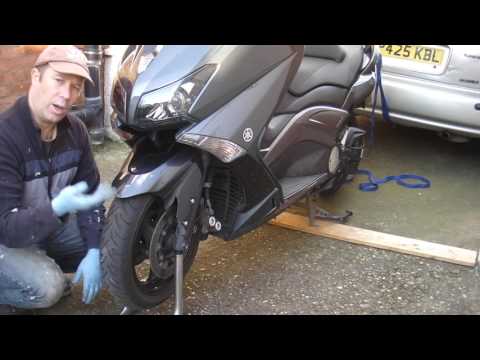
In this video tutorial, you will learn how to remove the front wheel of a Yamaha Tmax 530 (penultimate series). First, remove the fork bolts using a ratchet spanner: then also remove the brake caliper. Now, you will need a stand to lift the front of the bike to safely remove the wheel: then unscrew the central bolt of the wheel: at this point, you can remove it. If desired, you can also remove the mudguard by unscrewing the relevant screws. Apply the reverse procedure for reassembly! by ScegliAuto More videos
|

|
For advertising on this site Write to info@scegliauto.com
ScegliAuto is not responsible for any inaccuracy of the data in the lists. To report any inaccuracy or your business (if you own the business in question), please write to info@scegliauto.com
Number of seconds to generate the page: 0.052
(c) ScegliAuto 2026 - info@scegliauto.com - Privacy policy VAT number: IT01247470535 |
