
|
Do it yourself
| |||
| ||||


How do you reset the Service light on the Mini Cooper D?
Model: Mini Mini
F56, F57, F54, F55
- Years 2014-2023
In order to reset the Service light on the Mini Cooper D, you need to turn on the instrument panel by inserting the key into the corresponding ignition block: once the panel is on, you can navigate to the menu that will appear on the central display, selecting "Vehicle inspection". At the bottom of the subsequent screen, you can find the date of the next maintenance: this date should now be changed so that the Service light will not appear again until that newly entered date.
Posted on 18 December 2024 by ScegliAuto
Video tutorial
Related tutorials
Mini
(2023-2026 /
F66)
To reset the Service light on the Mini Cooper, you will need to turn on the instrument panel by inserting the ignition key into the corresponding slo…

Mini
(2014-2023 /
F56, F57, F54, F55)
The procedure for resetting the Service light that is shown on the instrument panel of the Mini Cooper involves connecting a diagnostic tool to the v…

Mini
(2014-2023 /
F56, F57, F54, F55)
On the instrument panel of the Mini Cooper, the Service light that is displayed can be reset by turning on the instrument panel and then holding down…
Other guides you may be interested in
|
Frequently Asked QuestionsHow to Open the Fuel Cap of the Volkswagen Jetta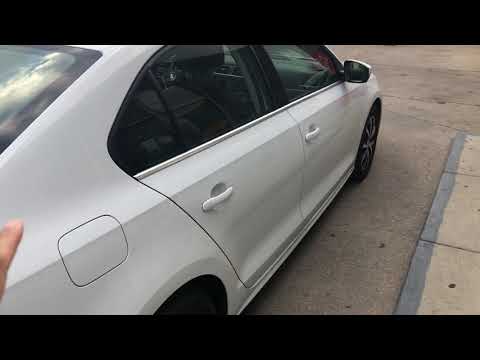
When you need to refuel this vehicle, first open the fuel filler flap. Follow these simple instructions, and you can also watch the video for more details. First, unlock the central locking to open the flaps. Then, press the fuel cap with your hand to unlock it and open it. Underneath, you will find the fuel cap, which you need to unscrew counterclockwise. At this point, you can proceed to refuel. by ScegliAuto More videos
|

|
For advertising on this site Write to info@scegliauto.com
ScegliAuto is not responsible for any inaccuracy of the data in the lists. To report any inaccuracy or your business (if you own the business in question), please write to info@scegliauto.com
Number of seconds to generate the page: 0.148
(c) ScegliAuto 2026 - info@scegliauto.com - Privacy policy VAT number: IT01247470535 |
