
|
Do it yourself
| |||
| ||||


How do you set the clock in the Mini Cooper?
Model: Mini Mini
F55, F54, F57, F56
- Years 2014-2023
The clock displayed in the center of the Mini Cooper's dashboard can be modified by turning on the instrument panel, so that you can navigate to the central menu: here you will need to select "System settings" and then "Date and time". Once this screen is displayed on the screen, you can use the touch commands to modify both the hours and minutes: once the modification is done, you can return to the initial screen and check that the modification has been done correctly.
Posted on 29 June 2025 by ScegliAuto
Video tutorial
Related tutorials
Mini
(2001-2007 /
R52, R50, R53)
To adjust the clock on the Mini Cooper, you need to turn on the instrument panel by inserting the ignition key into the corresponding slot: once it i…

Mini
(2014-2023 /
F55, F54, F57, F56)
The clock adjustment of the Mini Cooper can be done by turning on the instrument panel, after the key has been inserted into the corresponding slot: …

Mini
(2001-2007 /
R52, R50, R53)
The clock of the Mini Cooper can be adjusted by turning on the instrument panel, turning the ignition key: once the instrument panel is on, you can h…
Other guides you may be interested in
|
Removing the Front Wheel of a Yamaha Tmax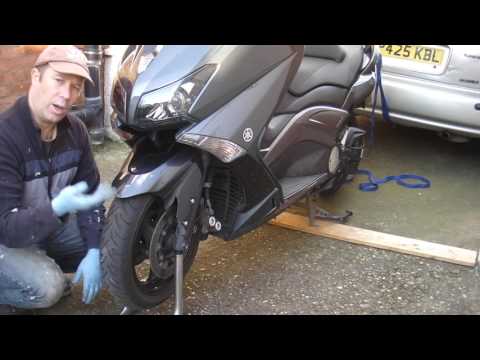
In this video tutorial, you will learn how to remove the front wheel of a Yamaha Tmax 530 (penultimate series). First, remove the fork bolts using a ratchet spanner: then also remove the brake caliper. Now, you will need a stand to lift the front of the bike to safely remove the wheel: then unscrew the central bolt of the wheel: at this point, you can remove it. If desired, you can also remove the mudguard by unscrewing the relevant screws. Apply the reverse procedure for reassembly! by ScegliAuto More videos
|

|
For advertising on this site Write to info@scegliauto.com
ScegliAuto is not responsible for any inaccuracy of the data in the lists. To report any inaccuracy or your business (if you own the business in question), please write to info@scegliauto.com
Number of seconds to generate the page: 0.091
(c) ScegliAuto 2026 - info@scegliauto.com - Privacy policy VAT number: IT01247470535 |
