
|
Do it yourself
| |||
| ||||


How do you reset the brake fluid warning light in the Mini?
Model: Mini Mini
R57, R55, R56
- Years 2007-2014
Here is the information on how to reset the brake fluid light in our Mini. The steps are very simple and quick and are as follows. As seen in the video through the car's central screen, we can see the status of the car indicating a problem with the brake fluid. We then move to the odometer and hold down the button on the right for a few seconds until the message "reset executable" appears. At this point, we click once and the brake fluid light will appear. We continue to hold down for a few seconds until the message "perform reset?" appears. At this point, we hold down the same button and we will see the car reset the light in real time. Once the reset is complete, the message "reset successful" will appear.
Posted on 21 November 2025 by ScegliAuto
Video tutorial
Related tutorials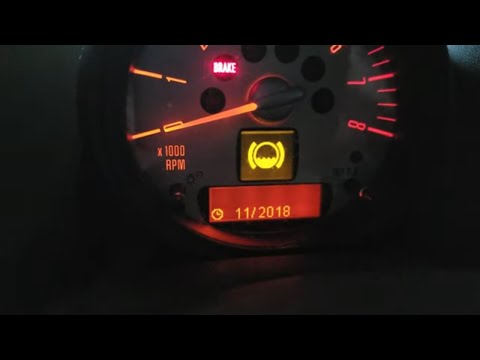
Mini
(2010-2016 /
R60, Countryman1)
In order to reset the brake oil warning light on the Mini Countryman you need to turn on the instrument panel, moving to the menu that will appear on…

Mini
(2017-2023 /
Countryman2, F60)
In this video, we will see how to reset the brake fluid warning light on a Mini car: turn on the instrument panel, and press the button located on th…

Mini
(2014-2023 /
F55, F54, F57, F56)
In this video we see how to reset the brake fluid warning light on a Mini Paceman. After checking that the brake fluid is actually in place, we turn …
Other guides you may be interested in
|
Frequently Asked QuestionsHow to Update the TomTom on a Renault Scenic
Follow this video to update the original TomTom navigator on a Renault Scenic. This is a very simple operation; enter the vehicle, turn on the instrument panel of your car with the key fob, press the knob located near the gear lever, and find the menu with the update option. Press the knob down and up to confirm, then wait for the necessary time for the device to update. Finally, the onboard computer will display the successful update of the navigator; check everything and turn off the instrument panel with the appropriate key. by ScegliAuto More videos
|

|
For advertising on this site Write to info@scegliauto.com
ScegliAuto is not responsible for any inaccuracy of the data in the lists. To report any inaccuracy or your business (if you own the business in question), please write to info@scegliauto.com
Number of seconds to generate the page: 0.065
(c) ScegliAuto 2026 - info@scegliauto.com - Privacy policy VAT number: IT01247470535 |
