
|
Do it yourself
| |||
| ||||


How to connect and disconnect bluetooth on Mini Cooper
Model: Mini Mini
F55, F54, F57, F56
- Years 2014-2023
Switch on the instrument panel and press the on-board computer menu button. Then go to the "communication" section and then "connect mobile devices". Start the search for the devices and, if the bluetooth is on on your mobile phone, you will find it in the on-board computer list and you can connect it. To disconnect it, simply turn off the bluetooth of the mobile phone or re-enter the bluetooth settings of the on-board computer. As you can see, this is a very simple operation that will allow you to manage various functions, primarily phone calls, from the vehicle and in complete safety.
Posted on 15 August 2021 by ScegliAuto
Video tutorial
Related tutorials
Mini
(2007-2014 /
R57, R55, R56)
Today we will explain how to connect our 2013 Mini Cooper to the phone using Bluetooth. Turn on the ignition and press the menu button on the onboard…
Mini
(2014-2023 /
F55, F54, F57, F56)
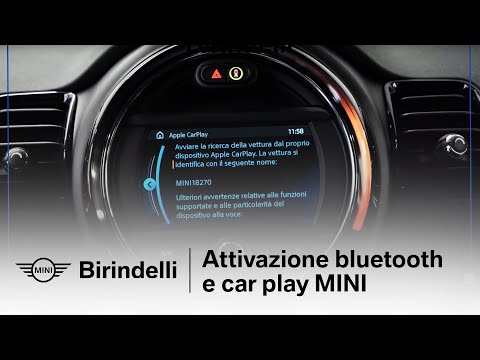
Today's guide will show us how to connect our mobile phone to the Mini Cooper's multimedia system via Bluetooth. Firstly, we get into the car and tur…

Mini
(2014-2023 /
F55, F54, F57, F56)
Today we will explain how to activate Bluetooth on the 2015 Mini Cooper to connect your phone to the onboard computer. First, enable Bluetooth on you…
Other guides you may be interested in |
How to Remove the Tailgate Handle on a Nissan Qashqai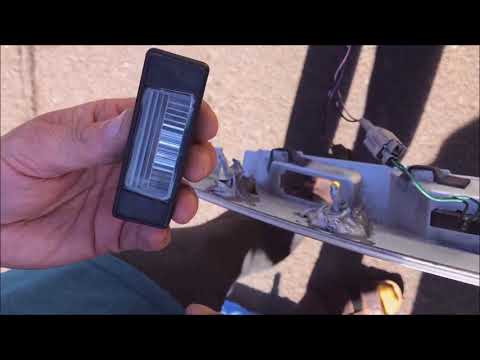
Follow these steps to remove the tailgate handle on a Nissan Qashqai to replace the number plate bulbs. First, open the rear tailgate of the car, then unscrew the screws on the plastic trim of the tailgate using a screwdriver (remove the plastic rivets). Detach the plastic trim from the tailgate, unscrew the securing bolts of the external handle with a screwdriver. Finally, remove the tailgate handle by hand. Take the new part and disassemble the number plate light. Reassemble everything in reverse order. by ScegliAuto More videos
|

|
For advertising on this site Write to info@scegliauto.com
ScegliAuto is not responsible for any inaccuracy of the data in the lists. To report any inaccuracy or your business (if you own the business in question), please write to info@scegliauto.com
Number of seconds to generate the page: 0.047
(c) ScegliAuto 2026 - info@scegliauto.com - Privacy policy VAT number: IT01247470535 |
