
|
Do it yourself
| |||
| ||||


How do I replace the Mini Cooper remote control battery?
Model: Mini Mini
F55, F56, F57, F54
- Years 2014-2023
In order to replace the Mini Cooper remote control battery, you need to use an object that acts as a lever to remove the rear cover, where the manufacturer's logo is represented. Subsequently, the key must be removed and levered inside its housing, in order to remove the circular cover placed to protect the battery. The latter can then be removed from its housing and replaced with a new spare part; after replacement, it will be possible to seal everything with the appropriate covers and insert the key.
Posted on 20 November 2021 by ScegliAuto
Video tutorial
Related tutorials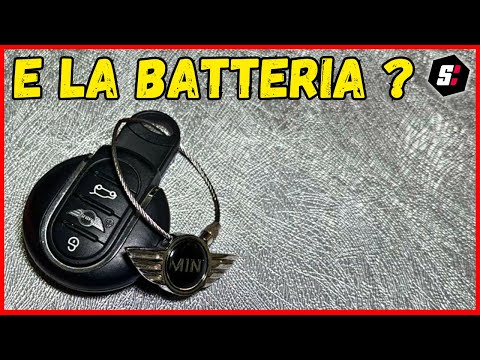
Mini
(2001-2007 /
R53, R50, R52)
To replace the battery of the Mini Cooper remote control, you need to use an object like a screwdriver to pry open the back of the device. This will …

Mini
(2007-2014 /
R55, R57, R56)
To replace the battery of the Mini Cooper remote control, you will need to use an object that can act as a lever to separate the two halves of the re…

Mini
(2007-2014 /
R55, R57, R56)
The procedure for replacing the battery of the Mini Cooper remote control is done by levering with an object on the back of the device, so that the a…
Other guides you may be interested in
|
How to Remove the Right Door Panel on a Renault Clio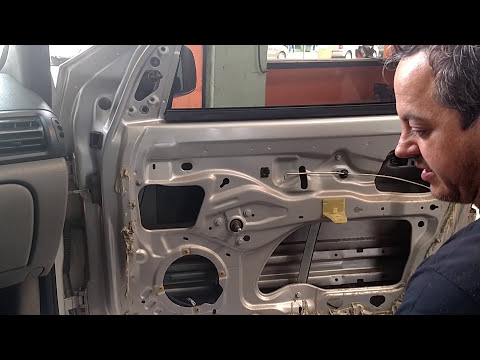
In this video, we will see how to remove the passenger side door panel on a Renault Clio. To start, unscrew the securing screws on the side of the door panel with a screwdriver. Pry around the internal handle of the door with a lever and remove it along with the speaker grille. Unscrew the securing screws located in the handle and remove all the plastics on the panel. Use a lever to detach the panel from the door and disconnect any power cables. Once the panel is free from obstacles, pull it away with your hands. by ScegliAuto More videos
|

|
For advertising on this site Write to info@scegliauto.com
ScegliAuto is not responsible for any inaccuracy of the data in the lists. To report any inaccuracy or your business (if you own the business in question), please write to info@scegliauto.com
Number of seconds to generate the page: 0.117
(c) ScegliAuto 2026 - info@scegliauto.com - Privacy policy VAT number: IT01247470535 |
