
|
Do it yourself
| |||
| ||||


How do you reset the Service light on the Mini Countryman?
Model: Mini Mini
R60, Countryman1
- Years 2010-2016
The procedure for resetting the Service light on the Mini Countryman is done by turning on the instrument panel using the appropriate button located on the dashboard. Then you will need to navigate through the menu that will appear on the car's central display, using the buttons located on the central console. Here you will need to select the settings option to check the maintenance interval: by selecting the reset option, you will notice that the Service light will disappear from the instrument panel and you will be able to see that it has been turned off and on again.
Posted on 20 June 2023 by ScegliAuto
Video tutorial
Related tutorials
Mini
(2017-2023 /
F60, Countryman2)
To reset the "Service" light on a Mini Countryman, start by turning on the instrument panel without starting the engine. Press the button located bel…

Mini
(2010-2016 /
R60, Countryman1)
To reset the Service light on the Mini Countryman, you will need to turn on the instrument panel and then press and hold the button to the right of t…
Mini
(2010-2016 /
R60, Countryman1)
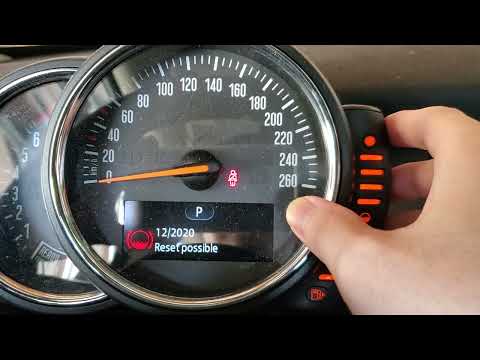
In this new guide of ours dedicated to your 2016 Mini Cooper Countryman, we are going to describe you the necessary steps to be able to easily reset …
Other guides you may be interested in
|
How to Replace the Front Headlights on the Opel Antara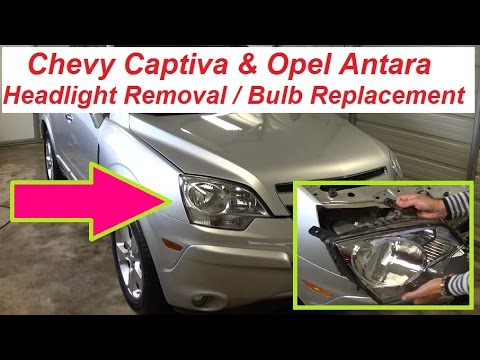
First, release the bonnet using the lever to lift it and secure it with the prop rod. Then, remove the clips from the top of the black panel above the bumper to lift it out. Proceed to remove the bolts securing each headlight. Lift the headlight by disconnecting the parts that hold it at the back. If you only need to replace the bulbs, remove the rear covers and replace the bulbs individually. To replace the entire headlight, simply disconnect the connector at the back. by ScegliAuto More videos
|

|
For advertising on this site Write to info@scegliauto.com
ScegliAuto is not responsible for any inaccuracy of the data in the lists. To report any inaccuracy or your business (if you own the business in question), please write to info@scegliauto.com
Number of seconds to generate the page: 0.053
(c) ScegliAuto 2026 - info@scegliauto.com - Privacy policy VAT number: IT01247470535 |
