
|
Do it yourself
| |||
| ||||


To reset the oil warning light on the 2021 Mini Countryman.
Model: Mini Mini
Countryman2, F60
- Years 2017-2023
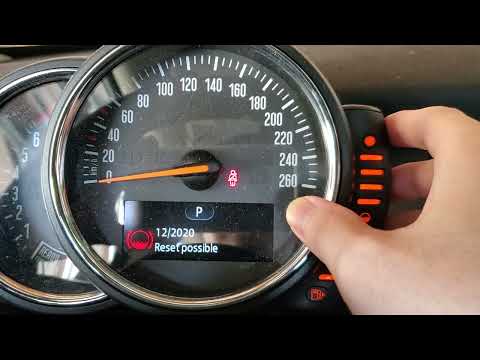
Thanks to the procedure described in the following guide, you will finally be able to manually reset the oil indicator light on the instrument panel of your second-generation Mini Countryman (year 2021). First of all, sit in the driver's seat and turn on the ignition. Then, press the button located inside the speedometer several times and hold it down for a few seconds as soon as the screen showing the remaining kilometers until the next service appears. Release the button as soon as the "Reset possible" message appears and complete the reset by holding down the same button one last time.
Posted on 5 September 2023 by ScegliAuto
Video tutorial
Related tutorials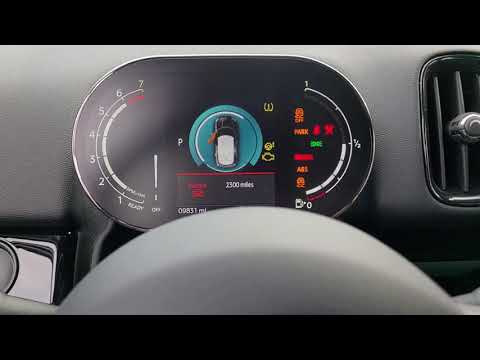
Mini
(2017-2023 /
Countryman2, F60)
Below we will find out how to reset the engine oil change warning light in the new Mini Countryman correctly and in just a few seconds. This is a sta…

Mini
(2017-2023 /
Countryman2, F60)
In order to reset the Mini Countryman's Service warning light, the instrument panel must be turned on using the appropriate button located on the cen…
Mini
(2010-2016 /
R60, Countryman1)
In this new guide of ours dedicated to your 2016 Mini Cooper Countryman, we are going to describe you the necessary steps to be able to easily reset …
Other guides you may be interested in
|
Resetting the Service on the Fiat 500X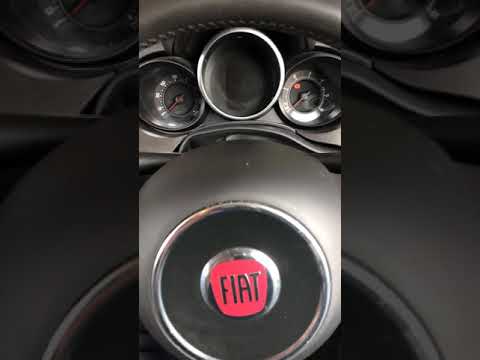
Resetting the service on a Fiat 500X? Let's see how to reset it from inside the car. Enter the cabin and turn on the instrument cluster using the button next to the steering wheel. Press the accelerator pedal three times in quick succession, then release the pedal, turn off the instrument cluster, and then turn it back on, waiting for it to illuminate. Always remember to make changes to the onboard computer with the engine off. Check the changes made on the car. Turn off the instrument cluster after setting. by ScegliAuto More videos
|

|
For advertising on this site Write to info@scegliauto.com
ScegliAuto is not responsible for any inaccuracy of the data in the lists. To report any inaccuracy or your business (if you own the business in question), please write to info@scegliauto.com
Number of seconds to generate the page: 0.052
(c) ScegliAuto 2026 - info@scegliauto.com - Privacy policy VAT number: IT01247470535 |
