
|
Do it yourself
| |||
| ||||


How to adjust the time in the Mini Countryman?
Model: Mini Mini
R60, Countryman1
- Years 2010-2016
In this tutorial we can see how to adjust the time in the Mini Countryman, a very simple and quick operation, to be carried out for example after changing the time or after disconnecting the battery. First of all, let's go inside the cabin, then insert the key and turn on the instrument panel. Then press the "MENU" button on the central console, enter "Time" using the knob and continue adjusting the time, date and formats according to your needs. To save the setting, just return to the main screen.
Posted on 27 February 2024 by ScegliAuto
Video tutorial
Related tutorials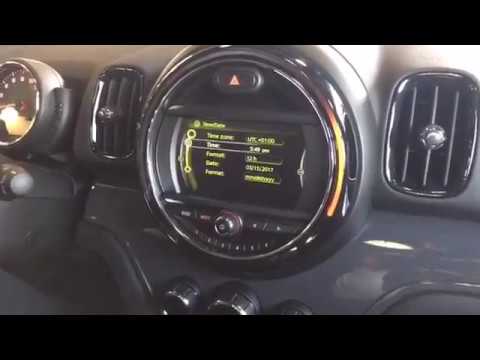
Mini
(2010-2016 /
R60, Countryman1)
In this tutorial we can see how to set the time in the Mini Countryman, a very simple and quick operation, to be carried out after being left with th…

Mini
(2014-2023 /
F55, F56, F57, F54)
Today we will explain how to set the time on a Mini Countryman R model car. To set the time and select the format, we need to turn on the instrument …

Mini
(2010-2016 /
R60, Countryman1)
In this very short video tutorial today we can see how to adjust the time of the onboard computer on a Mini Cooper Countryman, first generation model…
Other guides you may be interested in
|
How to Remove an EGR Valve from a Land Rover Freelander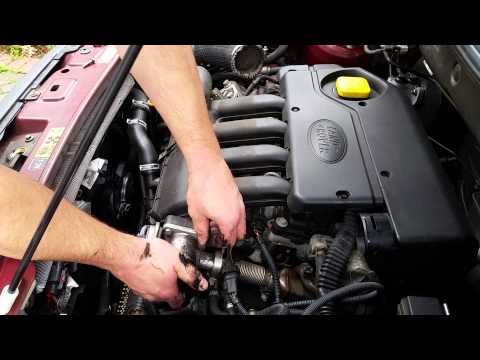
This video shows how to remove an EGR valve from a Land Rover Freelander. Lift the bonnet and secure it, then use a screwdriver to unscrew the locking pins of the ventilation pipe, removing the piece from the engine bay. Start unscrewing the fixing pins of the EGR valve as shown in the video. Once the piece is removed from its seat, unscrew the screws present on it with a screwdriver. Disconnect the power connectors from the valve, and remove it from the engine bay. Once the piece is removed, install the new EGR valve in the engine bay with the associated parts. Finally, reassemble the ventilation pipe in the engine bay after cleaning it of any dirt and deposits. by ScegliAuto More videos
|

|
For advertising on this site Write to info@scegliauto.com
ScegliAuto is not responsible for any inaccuracy of the data in the lists. To report any inaccuracy or your business (if you own the business in question), please write to info@scegliauto.com
Number of seconds to generate the page: 0.119
(c) ScegliAuto 2026 - info@scegliauto.com - Privacy policy VAT number: IT01247470535 |
