
|
Do it yourself
| |||
| ||||


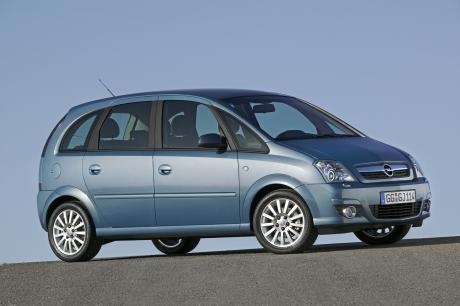
Replacing the Rear Headlamp Bulbs on the Opel Meriva
Model: Vauxhall Meriva
Meriva A, MK 1
- Years:
2003, 2004, 2005, 2006, 2007, 2008, 2009, 2010
Video tutorial
If one of the rear headlamp bulbs on the Opel Meriva burns out, it is advisable to replace it as soon as possible: this ensures safe travel and avoids penalties. To do this, open the boot. On the side panel, at the back of the headlamp, you will find a cover. Once removed, unscrew the plastic screws holding the headlamp in place. For the passenger side headlamp, you will find part of the tyre repair kit behind the cover, which needs to be removed. After unscrewing the screws, disconnect the electrical connector, apply force to the outer edge of the headlamp to pull it out, rotate it, and release the plate that holds the bulbs by acting on the retaining tabs. Replace the burnt bulb and reassemble everything in reverse order of the steps.
Updated on 20 October 2026 by ScegliAuto
Related tutorials
Vauxhall Meriva
(2003-2010 /
Meriva A, MK 1)
Let’s see how to replace the bulbs in the front headlamp of an Opel Meriva: open the front bonnet and pull the lever located at the bottom right of t…

Vauxhall Meriva
(2003-2010 /
Meriva A, MK 1)
Below are the steps necessary to remove and replace the dipped beam bulb of the front headlamp on an Opel Meriva. First, open the bonnet of your car …

Vauxhall Meriva
(2010-2017 /
Meriva B, MK 2)
Below are the instructions to replace the rear light bulbs on the Opel Meriva. First, open the rear hatch of the boot and start by removing the side …
Other guides you may be interested in |
How to Disable the Passenger Airbag in a Mercedes A-Class?
You can disable the passenger airbag in the specified vehicle at your own risk using the vehicle's key. There is a switch next to the steering wheel, on the driver's side, at knee height, through which you can activate and deactivate the airbag. In the video provided, you can clearly see the procedure, noting how the airbag indicator light, along with a message, alerts the driver about the activation or deactivation status. by ScegliAuto More videos
|
|
For advertising on this site Write to info@scegliauto.com
ScegliAuto is not responsible for any inaccuracy of the data in the lists. To report any inaccuracy or your business (if you own the business in question), please write to info@scegliauto.com
Number of seconds to generate the page: 0.219
(c) ScegliAuto 2026 - info@scegliauto.com - Privacy policy VAT number: IT01247470535 |
