
|
Do it yourself
| |||
| ||||


How to reset the service light on the Opel Insignia
Model: Vauxhall Insigna
Insigna A, MK 1
- Years 2008-2017
Today we will explain the steps to follow to reset the service light related to the car service of the Opel Insigna. The steps to follow are: - turn on the instrument panel; - press the Menu button to access the service menu; - press the SET button to reset the light; - select "RESET" to complete the reset of the light; - return to the main menu; - turn off and on the instrument panel; This operation can be performed on other Opel vehicles. If the light does not reset, it is necessary to go to the workshop for a computerized diagnosis and solve the problem.
Posted on 28 August 2024 by ScegliAuto
Video tutorial
Related tutorials
Vauxhall Insigna
(2008-2017 /
Insigna A, MK 1)
Below you will find the description of all the steps you need to apply if you want to reset the service light of your first series Opel Insigna (2012…

Vauxhall Insigna
(2008-2017 /
Insigna A, MK 1)
Today we will explain how to independently reset the service light, related to the car service, on an Opel Insigna vehicle produced from 2008 to 2017…

Vauxhall Insigna
(2008-2017 /
Insigna A, MK 1)
Resetting the service light of the 2013 Opel Insignia is a very simple operation to perform independently, thanks also to our video guide that will e…
Other guides you may be interested in |
How to Remove the Rear Light on a Fiat Grande Punto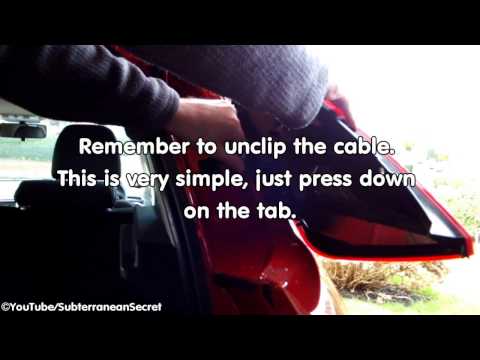
How to remove the rear light on a Fiat Grande Punto? In this guide, learn how to replace damaged bulbs: open the boot lid, unscrew (with a socket spanner or screwdriver with insert) the fastening screws located at the sides of the rear light; once the light is free from any constraints, detach it from the bodywork (disconnect the respective connectors for the bulb power supply). Replace the damaged bulbs with identical size and voltage parts. Finally, refit the rear light and reverse the assembly of the other parts. by ScegliAuto More videos
|
|
For advertising on this site Write to info@scegliauto.com
ScegliAuto is not responsible for any inaccuracy of the data in the lists. To report any inaccuracy or your business (if you own the business in question), please write to info@scegliauto.com
Number of seconds to generate the page: 0.053
(c) ScegliAuto 2026 - info@scegliauto.com - Privacy policy VAT number: IT01247470535 |
