
|
Do it yourself
| |||
| ||||


How to Reset the Service Light on the Opel Corsa F
Model: Vauxhall Corsa
Corsa F
- Years 2019-2026
To manually reset the maintenance light on your new Opel Corsa F, carefully read the following guide and put the instructions into practice. First, get inside the car and locate the "Set/CLR" button at the end of the left steering column. Press and hold it while turning the key to switch on the instrument cluster. Be careful not to start the engine. Wait for the 10-second countdown on the display to finish, then release the button to complete the reset procedure.
Updated on 24 June 2026 by ScegliAuto
Video tutorial
Related tutorials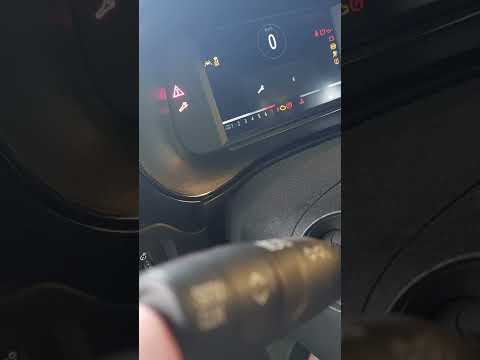
Vauxhall Corsa
(2019-2026 /
Corsa F)
If you own the new Opel Corsa F and want to learn how to correctly reset the service light on the instrument panel, simply follow these easy steps. F…

Vauxhall Corsa
(2000-2006 /
Corsa C)
To reset the service light of the Opel Corsa model C, you need to use our video guide with description, in order to avoid making mistakes. We start b…

Vauxhall Corsa
(2019-2026 /
Corsa F)
In today’s article, we will see how to reset the service light on an Opel Corsa F. It is recommended to perform this procedure only after having the …
Other guides you may be interested in
|
Where is the Fuel Filter Located in a Volvo XC60?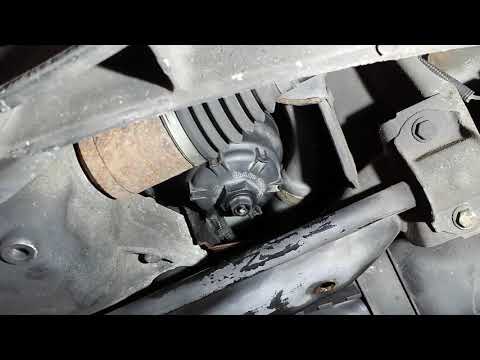
In this video, you will see where the fuel filter is located in a Volvo XC60 and how to proceed if you need to replace it. As shown, the filter is positioned at the lower part of the engine, right between the left half-shaft and the sway bar attachment. To replace the filter, first, go underneath the vehicle, taking all necessary safety precautions. Then, using an 18mm wrench, open the drain valve and allow any water present to escape. Next, unscrew the housing, remove the old filter, insert the replacement along with a new gasket, and reassemble everything. by ScegliAuto More videos
|
For advertising on this site Write to info@scegliauto.com
ScegliAuto is not responsible for any inaccuracy of the data in the lists. To report any inaccuracy or your business (if you own the business in question), please write to info@scegliauto.com
Number of seconds to generate the page: 0.127
(c) ScegliAuto 2026 - info@scegliauto.com - Privacy policy VAT number: IT01247470535 |
