
|
Do it yourself
| |||
| ||||


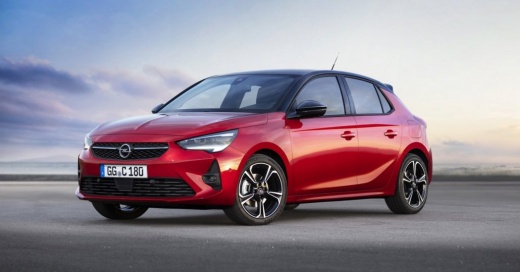
How to Reset the Tyre Warning Light in an Opel Corsa?
Model: Vauxhall Corsa
Corsa F
- Years:
2019, 2020, 2021, 2022, 2023, 2024, 2025, 2026
Video tutorial
Resetting the tyre warning light in an Opel Corsa, as we can see in this tutorial, is an extremely simple and quick operation. Before proceeding, ensure that you have restored the correct pressure in each tyre according to the instructions in the manual. Start by turning on the ignition, then press the button depicting a vehicle located to the right of the touch-screen display. Next, navigate to the "Driving function" screen, enter "Under-inflation initialization" and confirm the recalibration. Then restart the ignition to check that the operation was successful.
Updated on 1 August 2026 by ScegliAuto
Related tutorials
Vauxhall Corsa
(2014-2019 /
Corsa E)
Open the driver's side door and turn on the instrument panel of your Opel Corsa E. From the main menu, select "Vehicle" and then "Safety". Find the o…
Vauxhall Corsa
(2014-2019 /
Corsa E)
In this tutorial, you will learn how to reset the tyre warning light on an Opel Corsa, a very simple and quick task that should only be done after re…

Vauxhall Corsa
(2014-2019 /
Corsa E)
In this tutorial, you will learn how to reset the tyre pressure light on the Opel Corsa, a very simple operation. Before doing this, ensure that the …
Other guides you may be interested in |
Where are the fuses located on the Renault Laguna?
On the Renault Laguna, the fuses are located inside the fuse boxes installed in the vehicle: in this car model, you will find two boxes for containing the fuses. The first is in the fuse box on the left side of the dashboard, accessible by opening the driver's door: here you will find the fuses for the windscreen wipers, fog lights, horn, etc. The second box is located on the right side of the engine compartment: here you will find the fuses for the dipped headlights, radiator fan, alternator, etc. by ScegliAuto More videos
|
|
For advertising on this site Write to info@scegliauto.com
ScegliAuto is not responsible for any inaccuracy of the data in the lists. To report any inaccuracy or your business (if you own the business in question), please write to info@scegliauto.com
Number of seconds to generate the page: 0.014
(c) ScegliAuto 2026 - info@scegliauto.com - Privacy policy VAT number: IT01247470535 |
